Skribly Agent
An IDE built around AI coding agents, not around files.
Run Claude Code, Codex, Cursor Agent, Gemini CLI and nine more side by side, with tracker tasks, git, pipelines, skills, audits and a preview browser in one window. It runs on your computer, on macOS, Windows and Linux.
What it is for
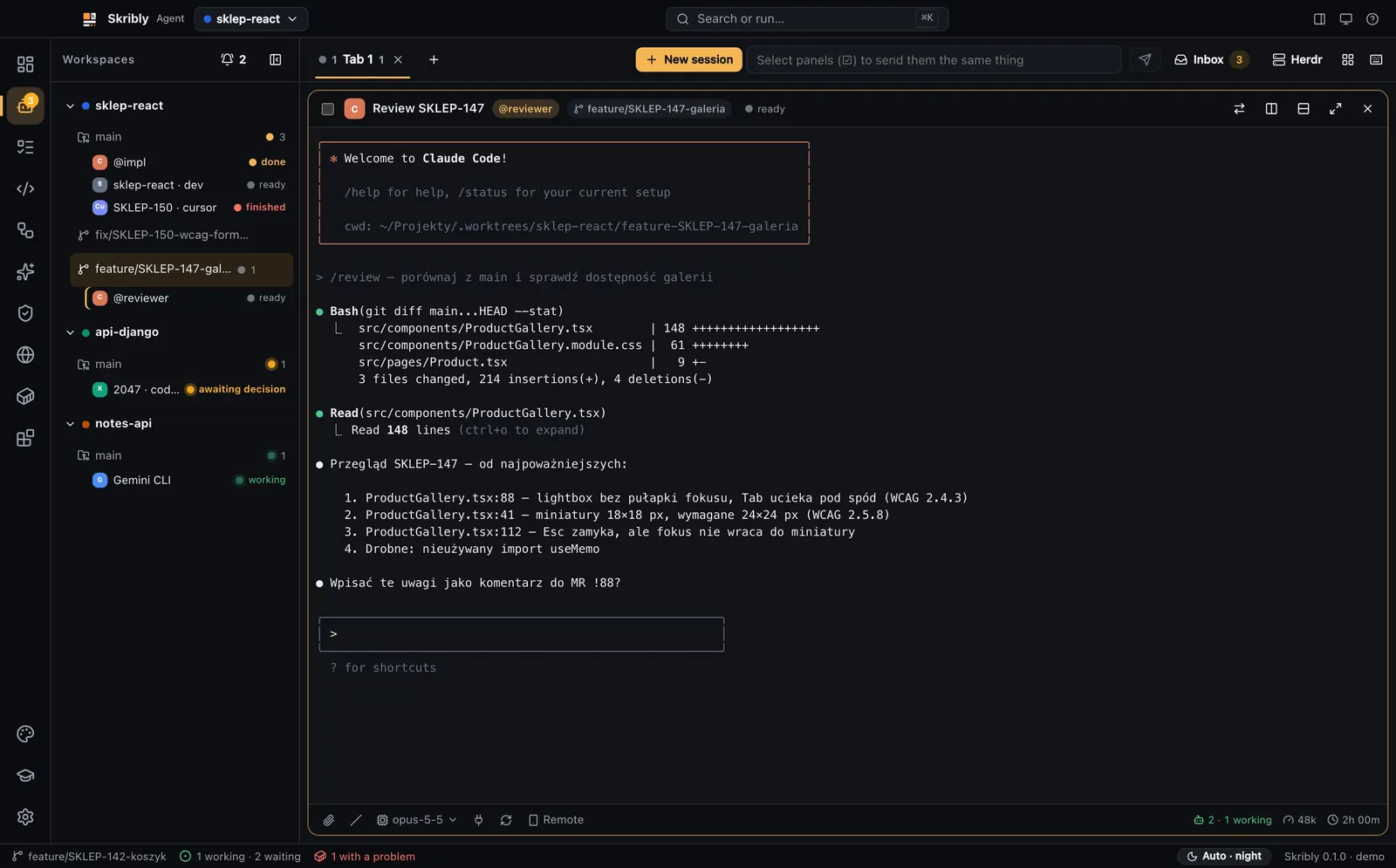
One window instead of five terminals
Agents work in tabs and split panes and tell you themselves when they wait for you.
Tasks as files, not copy-paste
A task from your tracker becomes TASK.md and STATE.md, and the agent starts with a ready prompt.
Agents hand work to each other
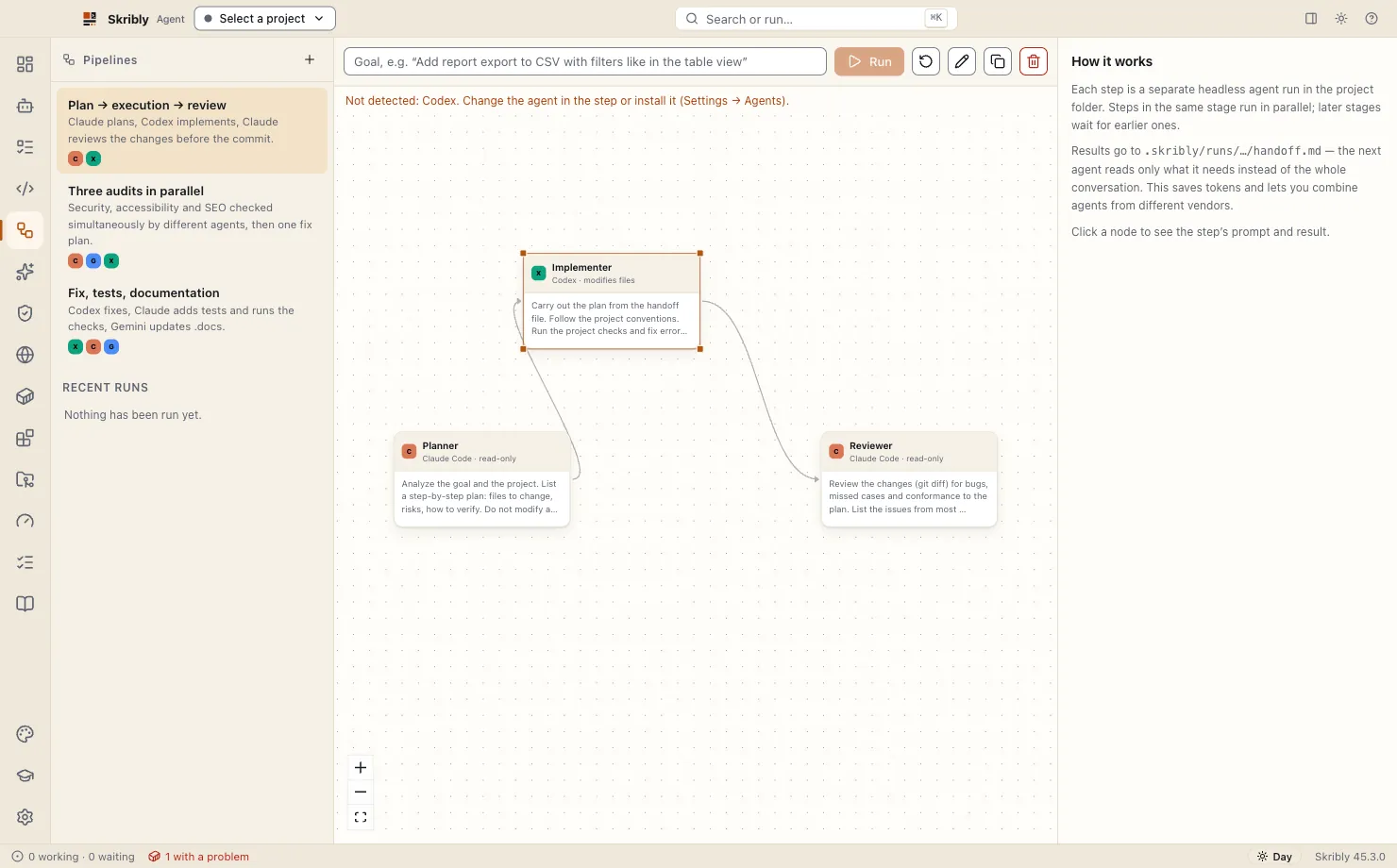
Pipelines and state files pass work from one agent to the next instead of through you.
Commits in your style
Messages follow your repository, and a hook keeps AI trailers such as Co-Authored-By out of every commit.
What it does
One view per job, each a click or a shortcut away.
Agents side by side
Workspaces, tabs and split panes, like a terminal multiplexer, and each agent says when it waits for you.
Terminals and sessions
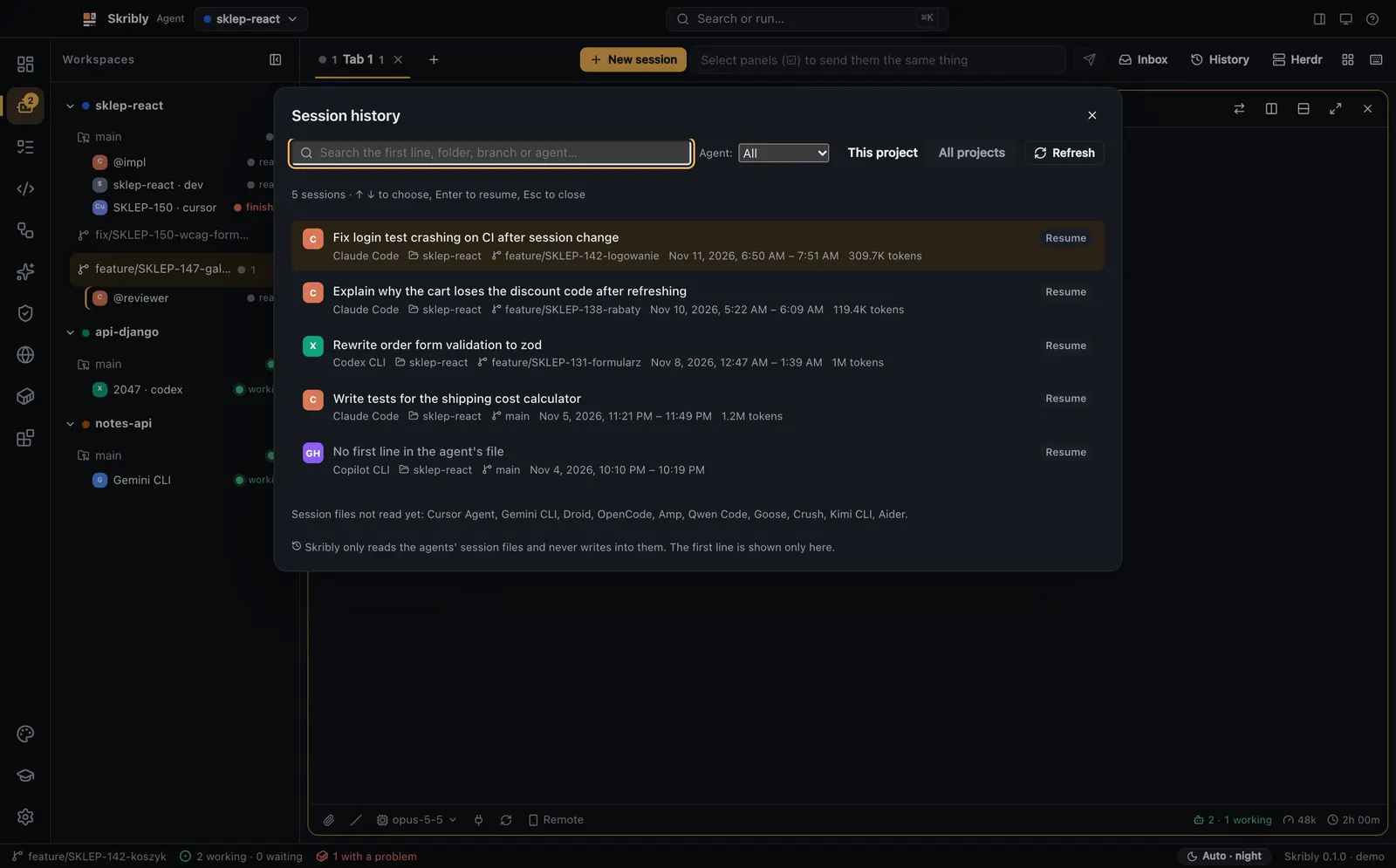
Every agent runs in a real terminal, resumes after a restart, and every past session is one search away.
Code, changes and review
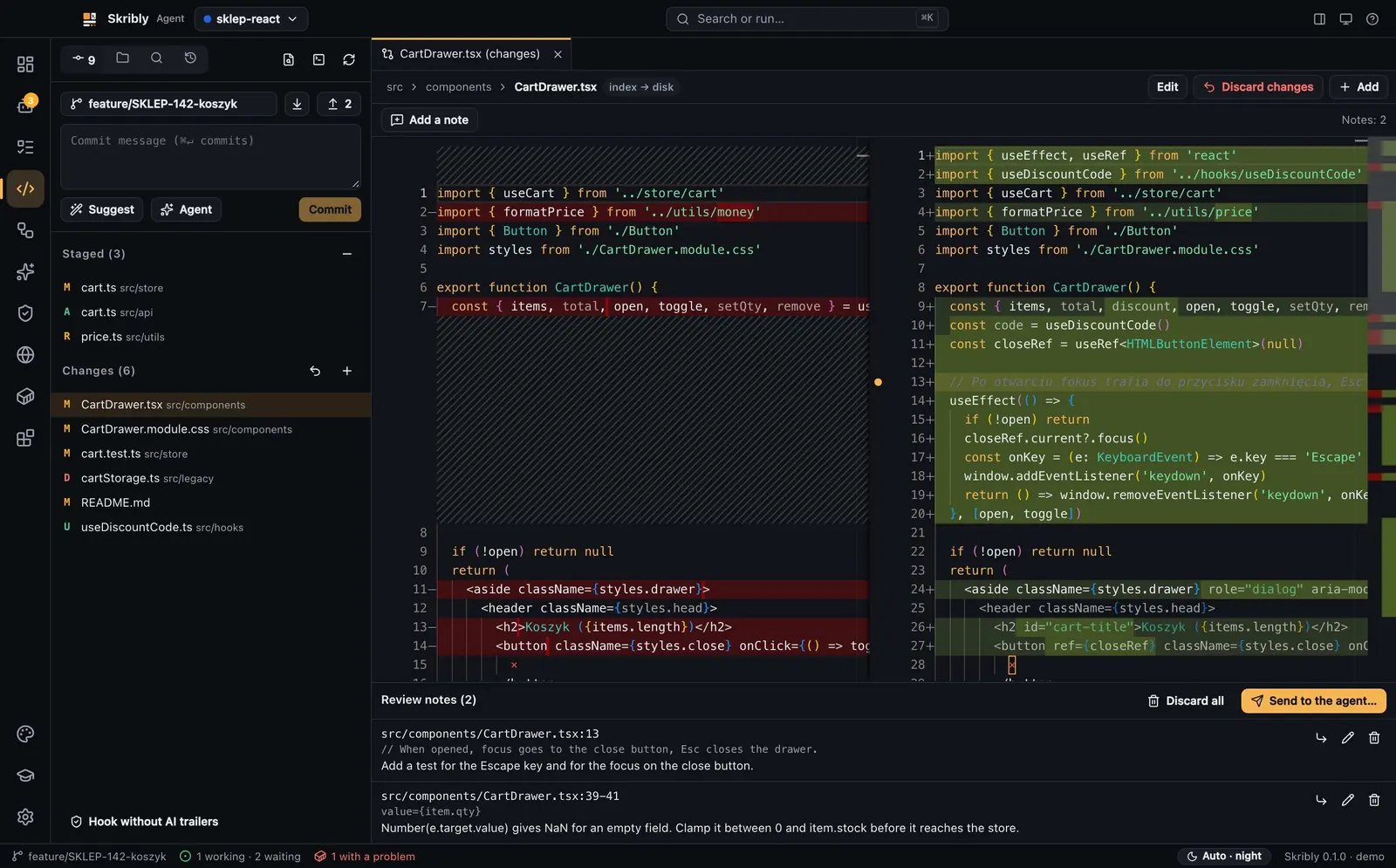
An editor, git and diffs; note lines in a diff and send the notes to the agent in one message.
Pipelines
Several agents, from different vendors if you like, work toward one goal in stages.
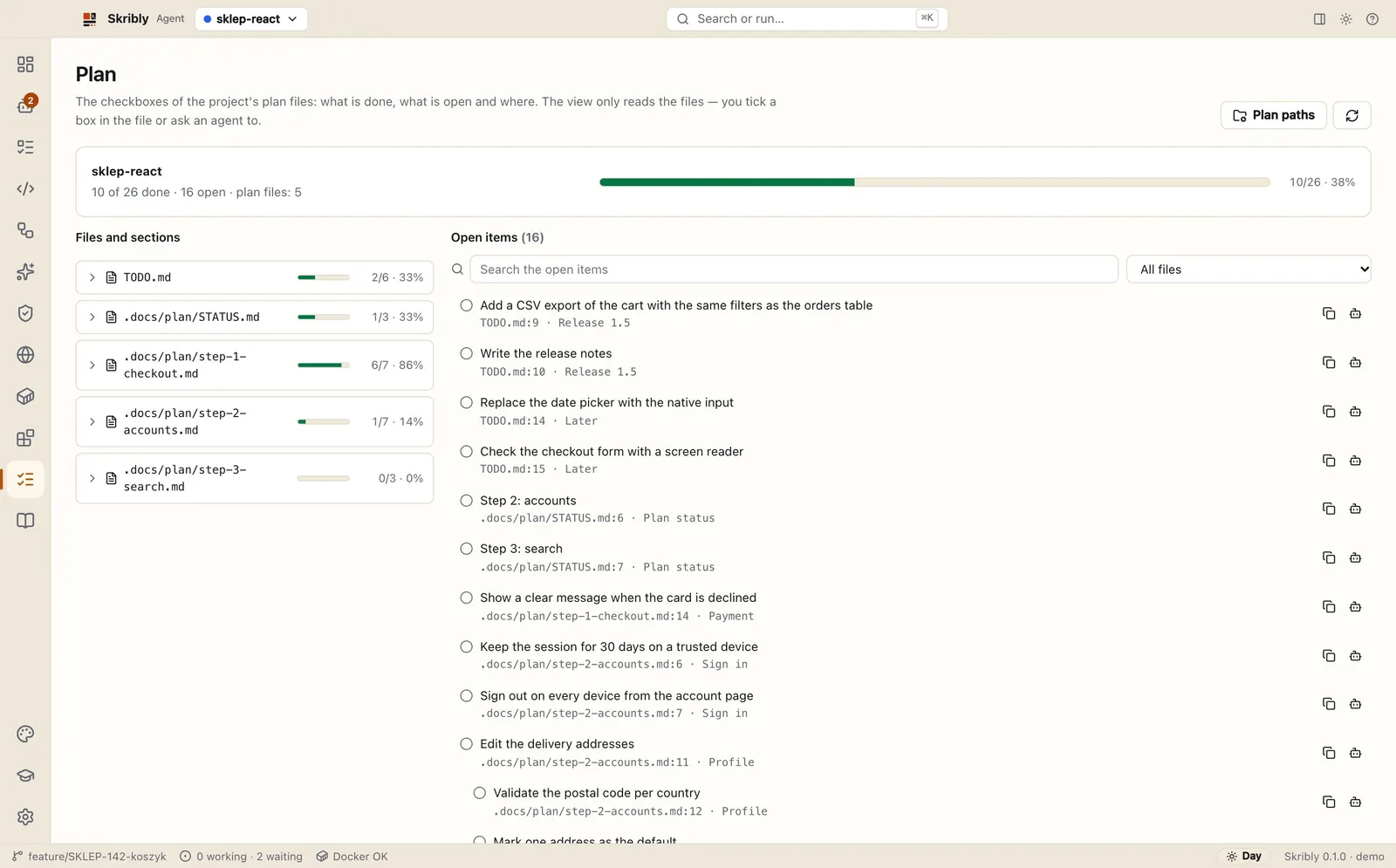
Plan and tasks
Tasks come from your tracker as files, and the Plan view counts the checkboxes of your plan.
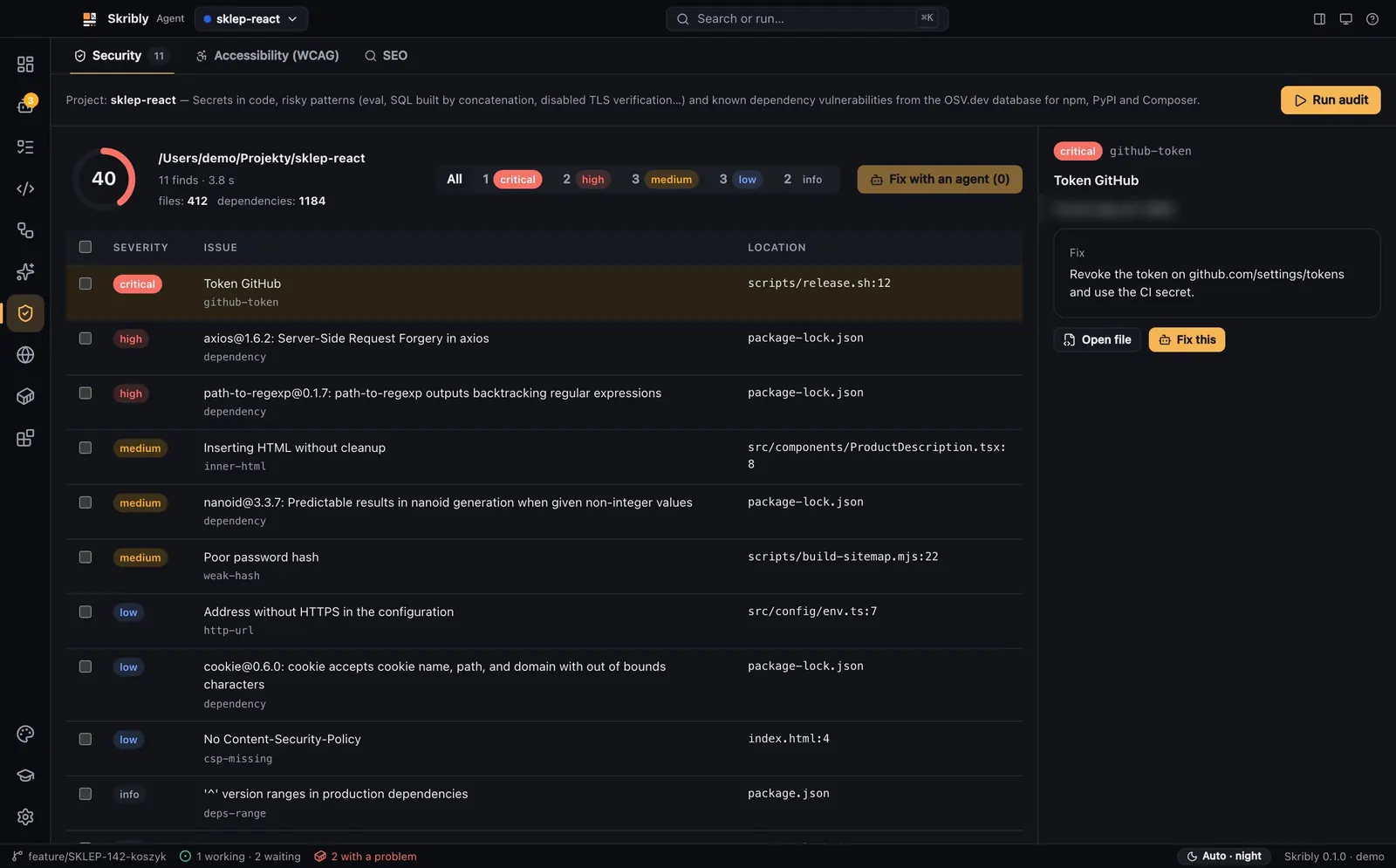
Audits
Security, accessibility and SEO checks with a score, and the findings sent to an agent as a task list.

Usage board
Tokens per day, agent and project, read from the files your agents already leave.
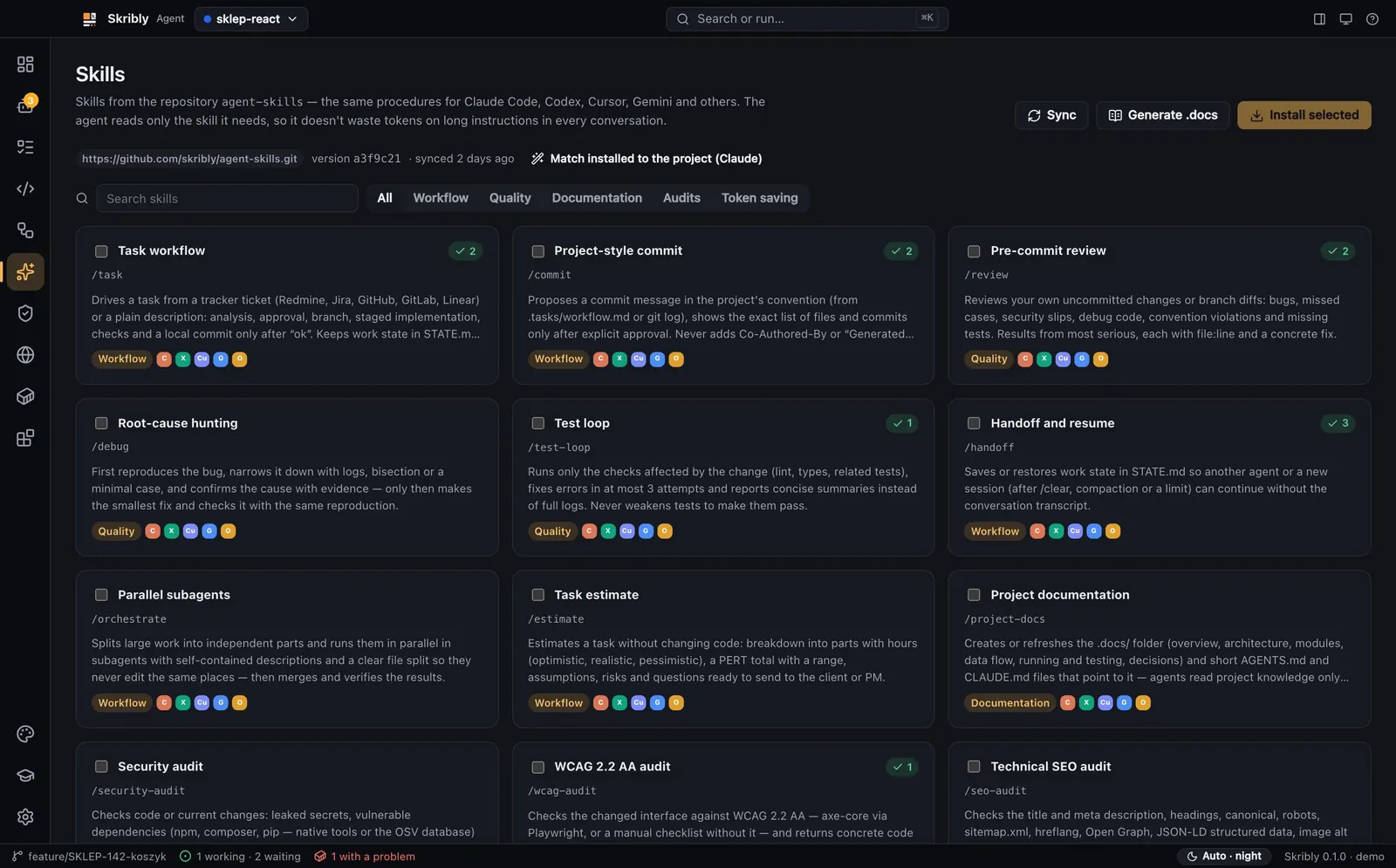
Skills and extensions
Skills installed in each agent’s own format, and your own prompts, rules and commands as plain files.
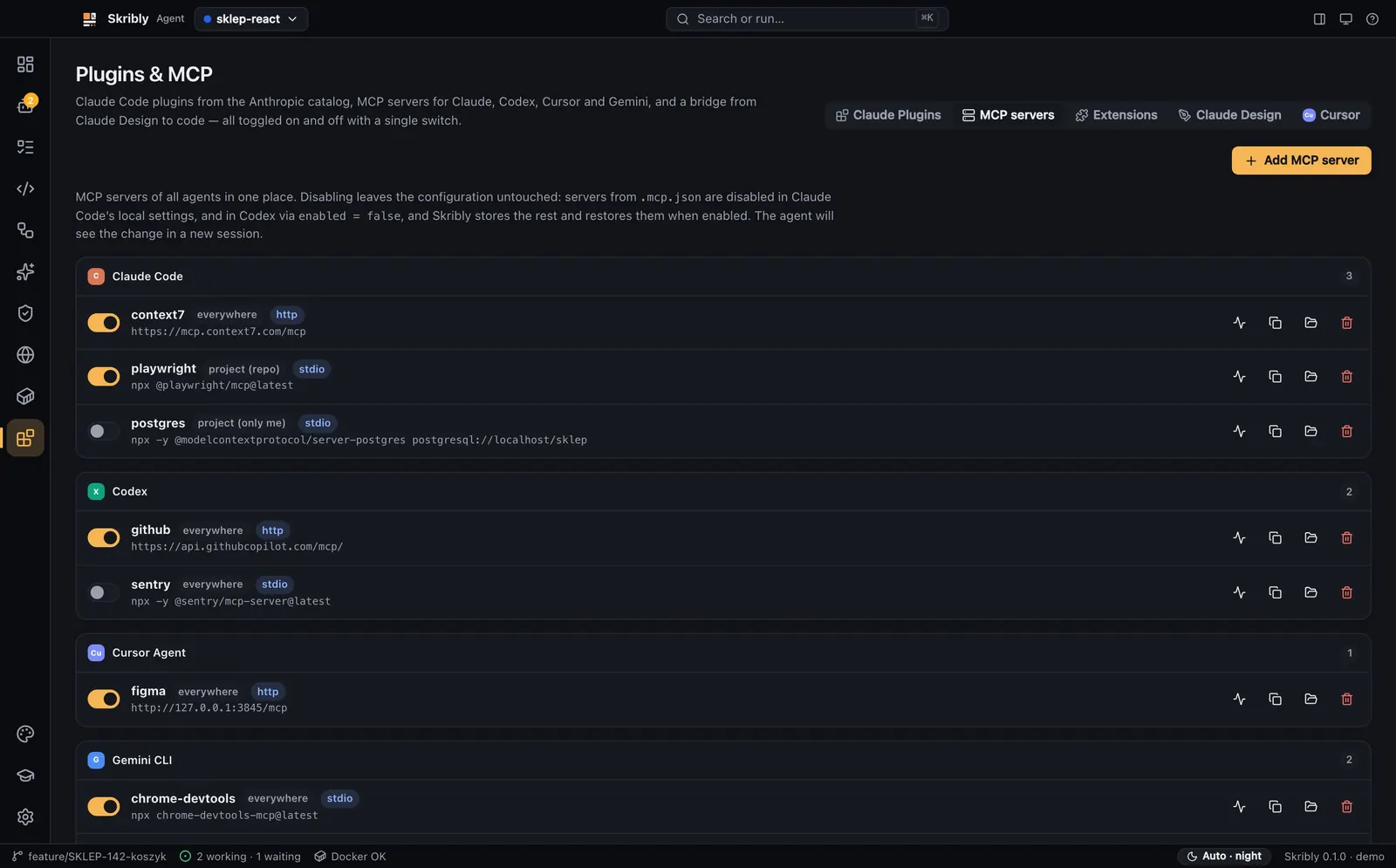
MCP and the skribly command
Switch any agent’s MCP servers on and off, test one, and let agents drive other agents.
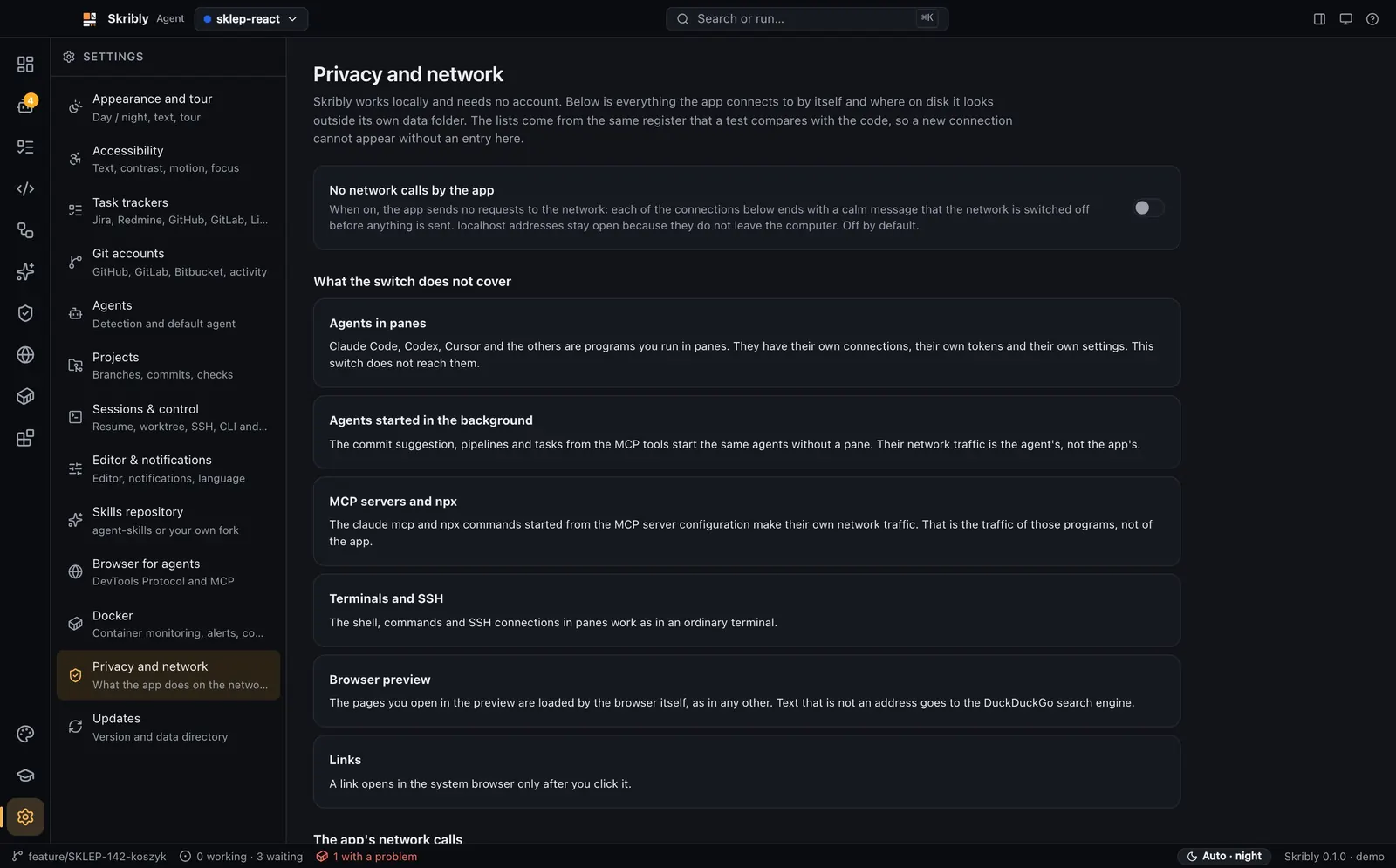
Privacy and your data
One page lists every connection the app makes and every folder it touches, with a switch that turns its network calls off.
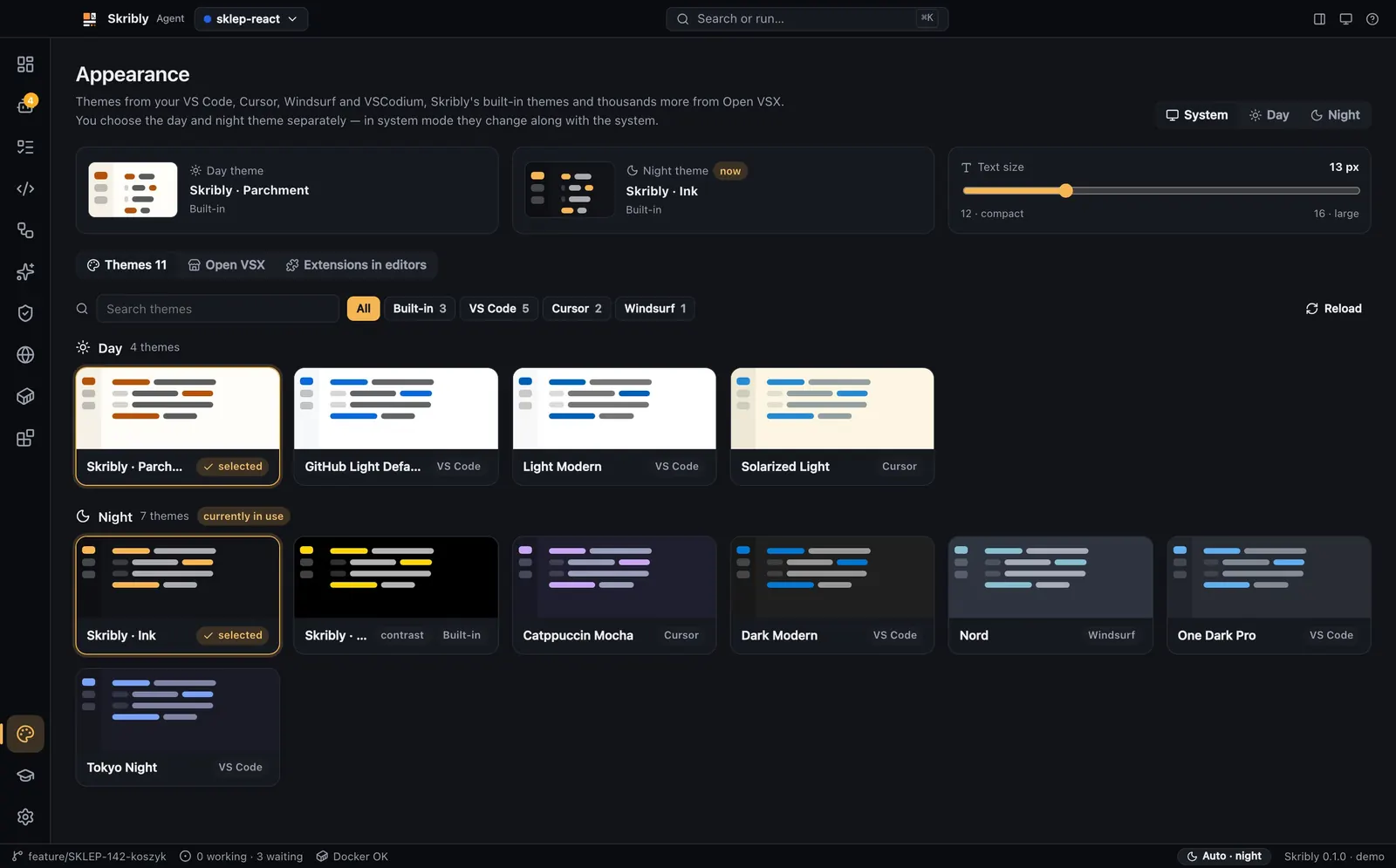
Themes and accessibility
Day and night themes from your editors or Open VSX, and settings for text size, contrast and motion.
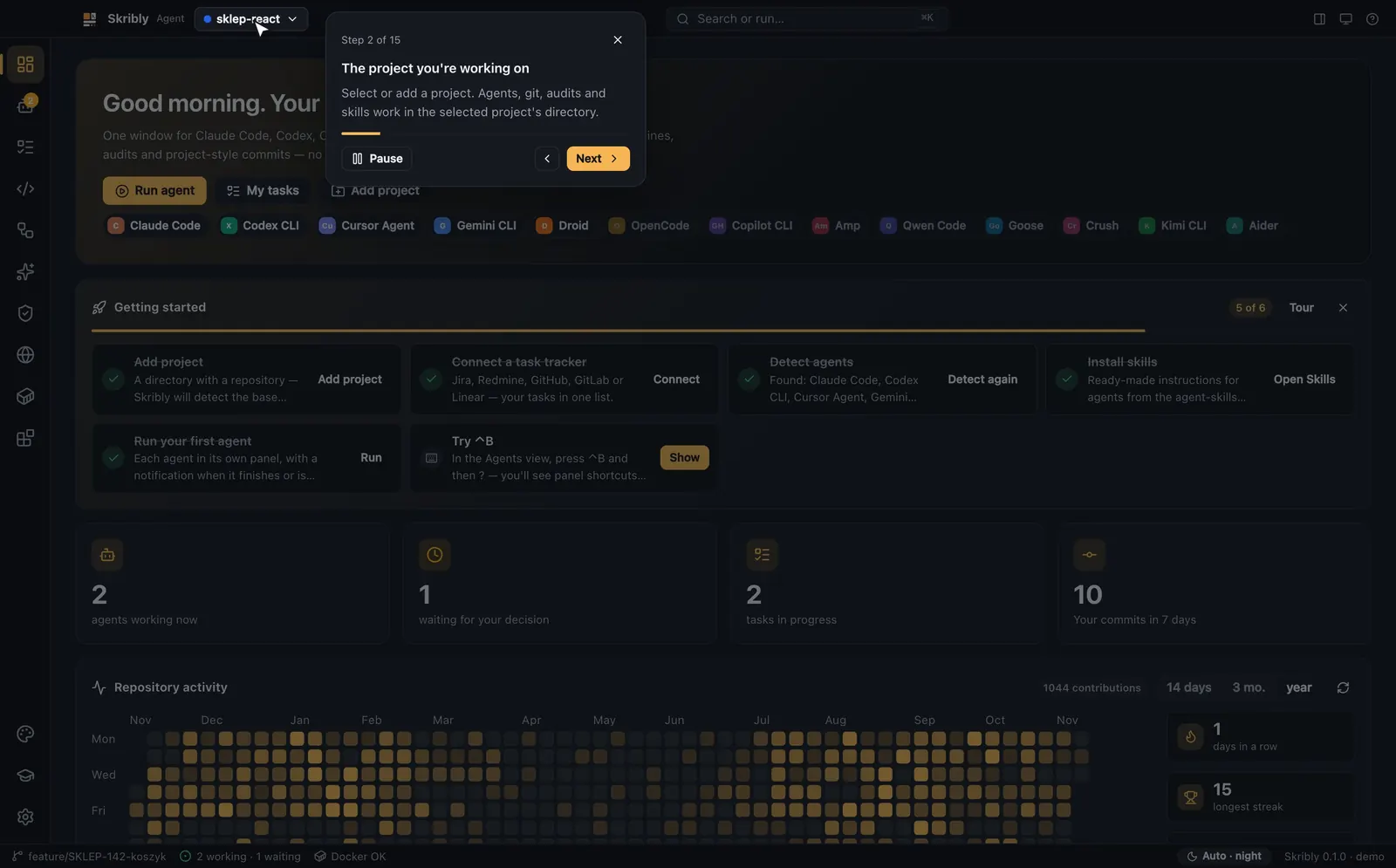
A guided tour
On the first launch the cursor shows you the app, one place at a time.
How it works
Install and add a project
Install Skribly Agent and at least one coding agent, then add a repository. Skribly detects the base branch, the checks and the dev address.
Run agents side by side
Start a session or a task with an agent, in your working copy or in a new worktree. Each pane shows whether its agent is working, waiting or done.
Review and commit
Read the diff, send your notes back to the agent in one message, and commit with a message in the style of your repository.
Your code stays on your machine
Skribly Agent has no server of its own and sends no telemetry: no statistics, no crash reports, no identifiers.
- Settings, projects and pipelines are files in the app’s data folder; task files sit in .skribly/ in the project and are kept out of git.
- Tracker tokens are encrypted with the system password store, or kept in memory only when it is not available.
- The app itself connects only to the places it names: your trackers, OSV.dev for a security audit, Open VSX for themes, GitHub for update checks you can turn off, your skills repository, a site you audit, pages you open in its browser, and machine translation for an interface language that is not cached.
- The agents you run use their own logins and API keys and make their own connections, as they do in your terminal.
- The local control API listens on 127.0.0.1 only, with a token that only you can read and that is new on every start.
The agents it works with
Skribly Agent runs the coding agents you already have. It finds them on its own and shows the install command for the missing ones.
- Claude Code
- Codex CLI
- Cursor Agent
- Gemini CLI
- OpenCode
- Copilot CLI
- Aider
- Amp
- Factory Droid
- Qwen Code
- Goose
- Crush
- Kimi CLI
- Your own commands
The names of the agents are trademarks of their owners.
System requirements
- macOS
- macOS 12 or later, Apple silicon or Intel.
- Windows
- Windows 10 or 11, x64 or ARM64.
- Linux
- x64, as an AppImage, a .deb or an .rpm package.
- git
- git in your PATH.
- An agent
- At least one coding agent, for example npm install -g @anthropic-ai/claude-code.
- No Node.js
- No separate Node.js: the app runs its helpers with its own runtime.
- ssh
- OpenSSH only when you run agents on remote machines.
Questions
Can I download Skribly Agent today?
Not yet. The download page is ready and its buttons stay off while the first public release is prepared. Then each file will be listed there with its version, size and SHA-256.
Do I need an account?
No. Skribly Agent has no account and no server of its own. Your agents use their own logins and API keys.
Does Skribly Agent send my code anywhere?
No. The app sends no telemetry and has no server. The agents you run connect to their own services, as they do in your terminal; the docs page Data and network lists every place the app itself connects to.
Which agents does it work with?
Thirteen coding agents, from Claude Code and Codex CLI to Goose and Kimi CLI, and any command of your own.
Does it replace my editor?
It has a code editor with quick open, search in files, side-by-side diffs and a terminal, so many tasks need no other window. Files an agent changes reload by themselves.
Who makes it?
The Skribly team, as a non-commercial project. The other Skribly tools are on skribly.pl.
Read more
Install
Files for each system, the first launch and unsigned builds.
Workspaces and panes
Workspaces, tabs, splits, agent states and worktrees.
Supported agents
The 13 agents, how to install them and what each one supports.
Keyboard shortcuts
The Ctrl+B prefix and every global shortcut.
Data and network
What the app stores, where it connects and which ports it opens.
Troubleshooting
Common problems and their fixes.
Part of Skribly
Skribly Agent is one of the Skribly tools, with Skribly Tracker and agent-skills.