Features
Everything around the agents, one view per job. Each section links the docs page that explains it.
Agents side by side
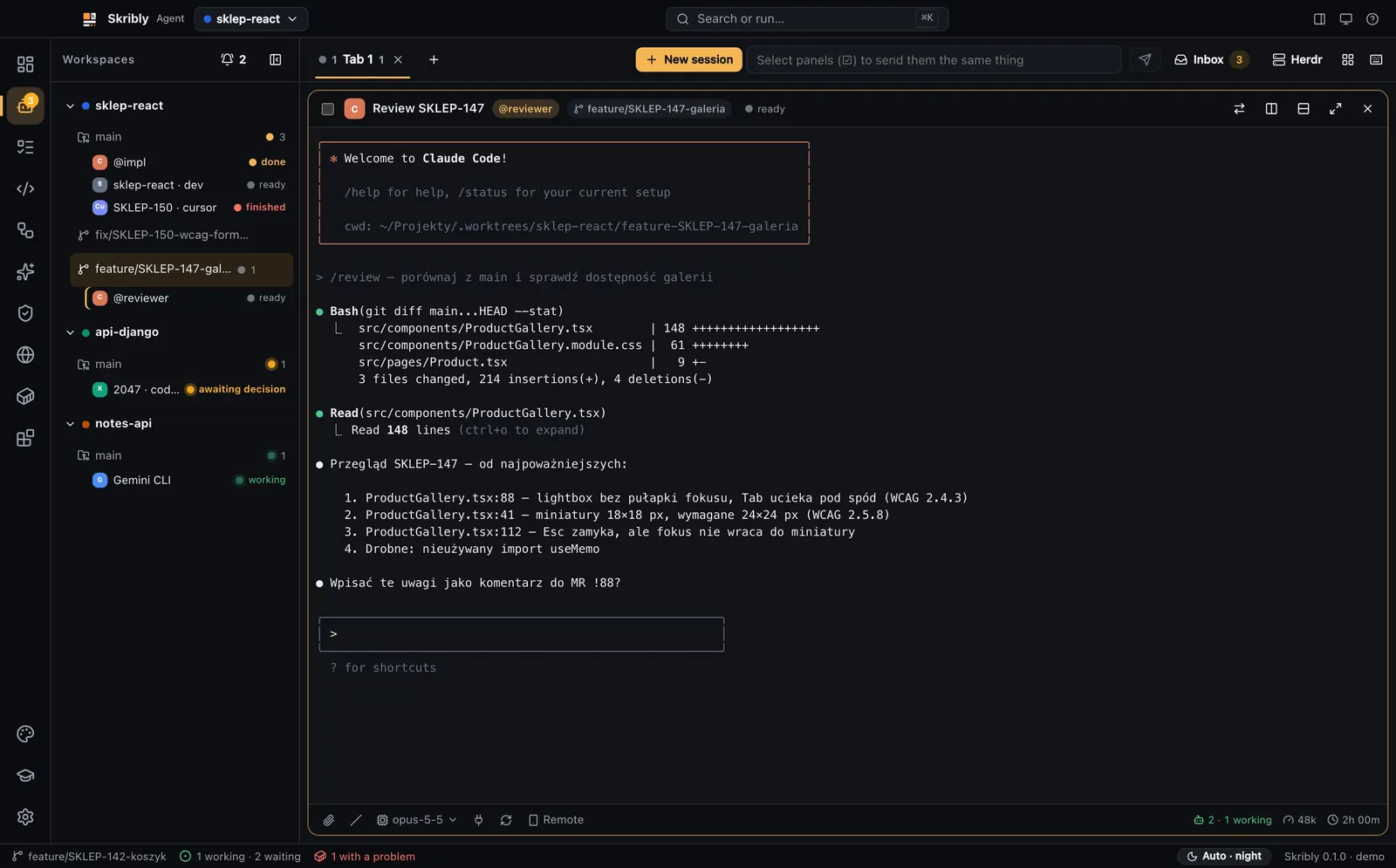
Workspaces, tabs and split panes, like a terminal multiplexer, and each agent says when it waits for you.
- 13 coding agents found on their own, plus your own commands.
- Workspaces, tabs and splits with the Ctrl+B prefix: a workspace is a repository or one of its worktrees.
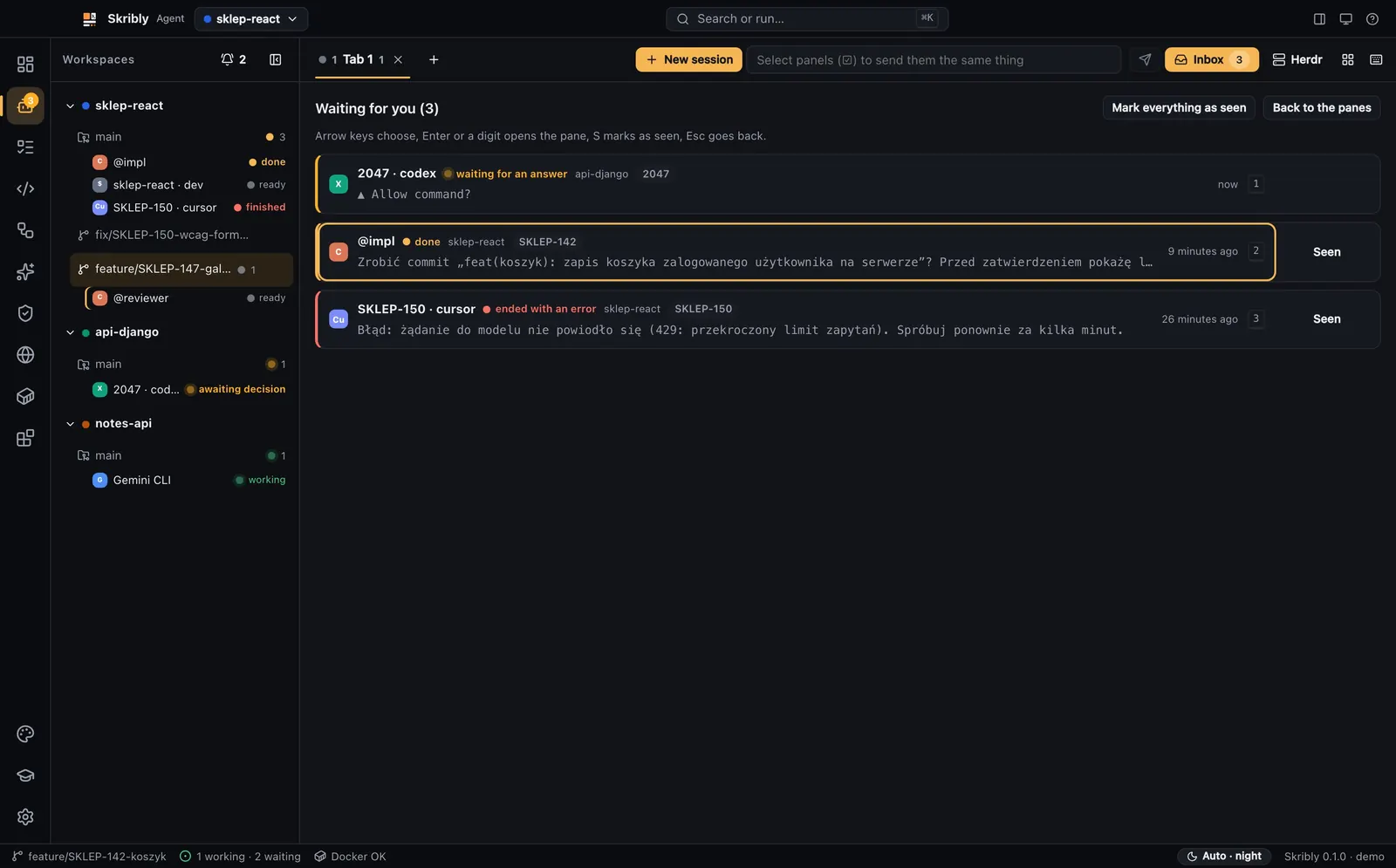
- Live states: working, waiting for a decision, done and ready, with “Why this state?” and system notifications.
- The attention inbox lists every session that waits for you.
Terminals and sessions
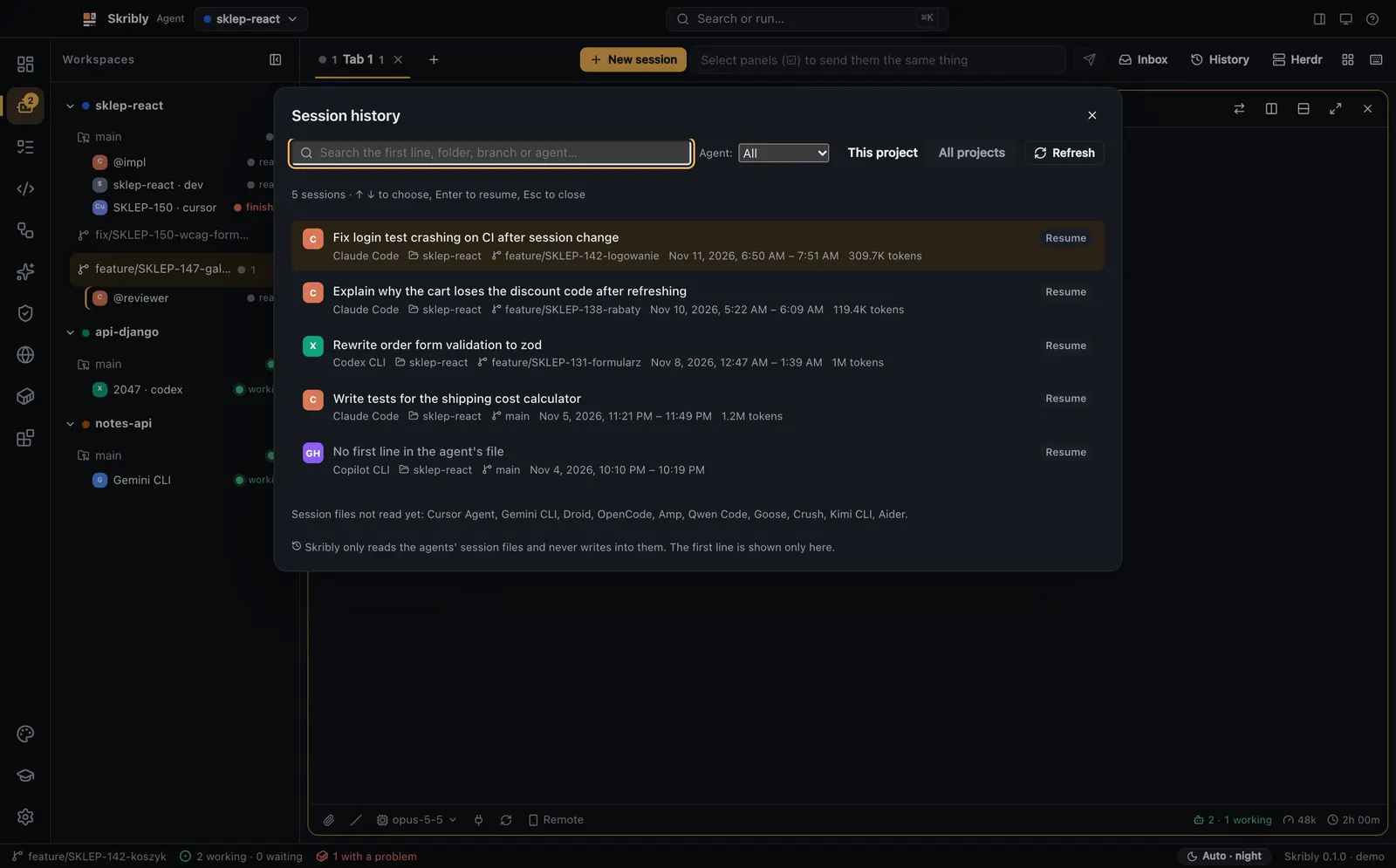
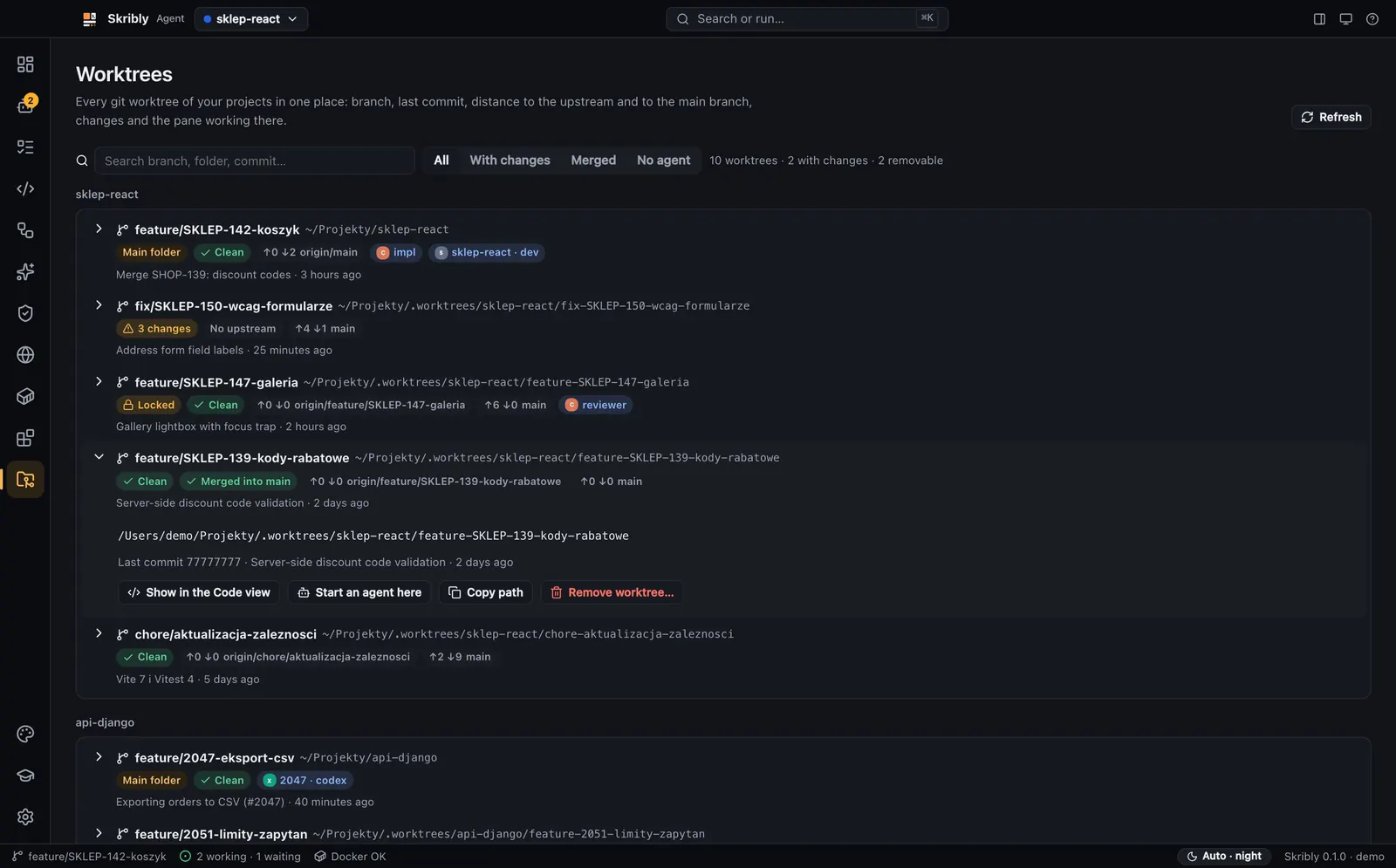
Every agent runs in a real terminal, resumes after a restart, and every past session is one search away.
- A new session in your working copy or in a new worktree, one per agent.
- Resume after a restart with the agent’s own command, such as claude --resume or codex resume.
- Every past Claude Code, Codex and Copilot CLI session of one project or all of them, with search.
- SSH machines, broadcast to chosen panes, hand-off through STATE.md and a chat mode.
Code, changes and review
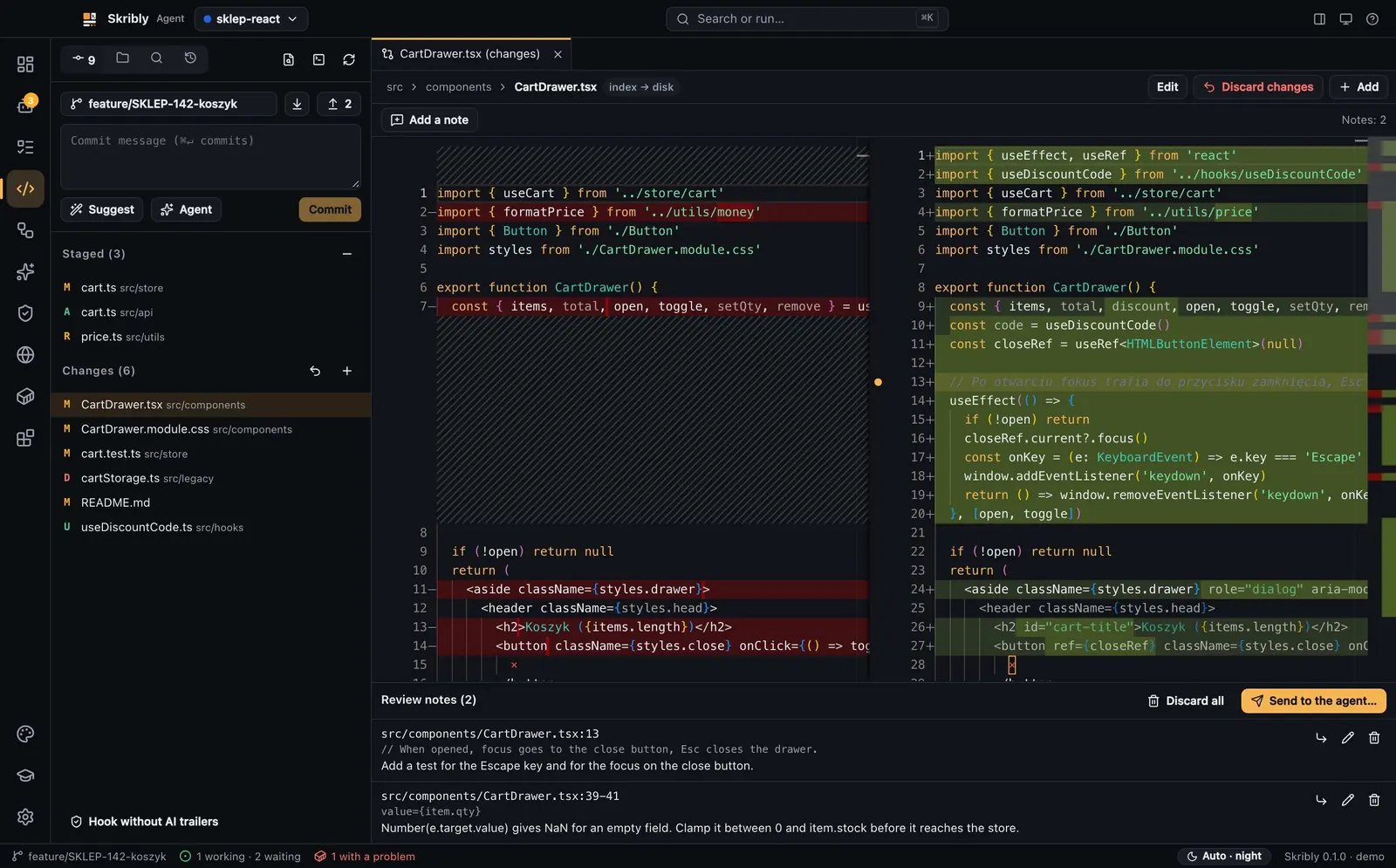
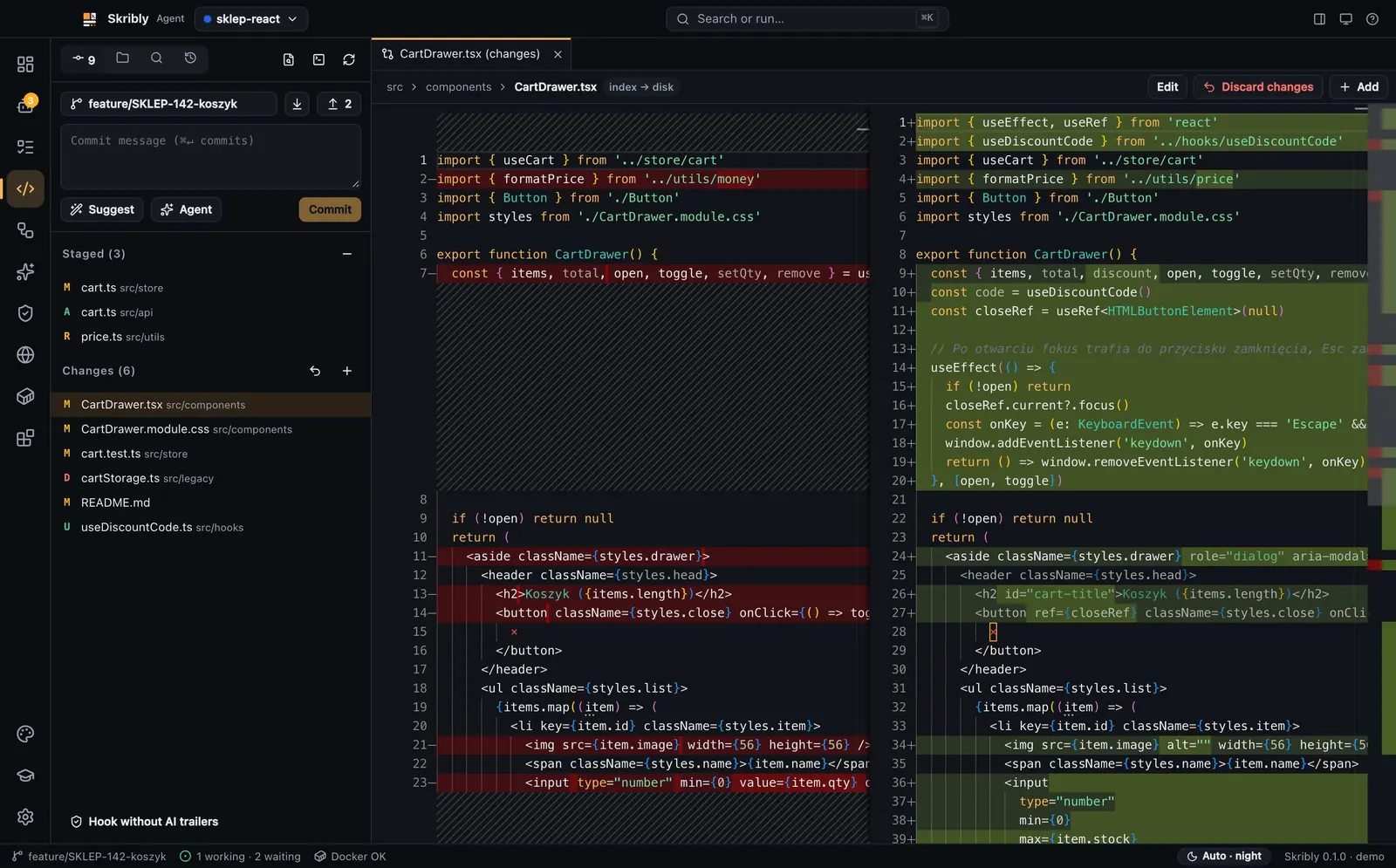
An editor, git and diffs; note lines in a diff and send the notes to the agent in one message.
- A Monaco editor with tabs, quick open, search in files, side-by-side diffs and a terminal below.
- Files changed by an agent reload by themselves; Explain, Fix, Write tests and Review act on selected code.
- Changes and the index, branches, push and pull, a history graph and pull requests through the GitHub CLI.
- Review notes on a line or a range go to the agent as one message with the file, the lines and the quoted code, and nothing goes before you press send.
- Commit messages learned from your history, without a model, and a hook that strips AI trailers.
Pipelines
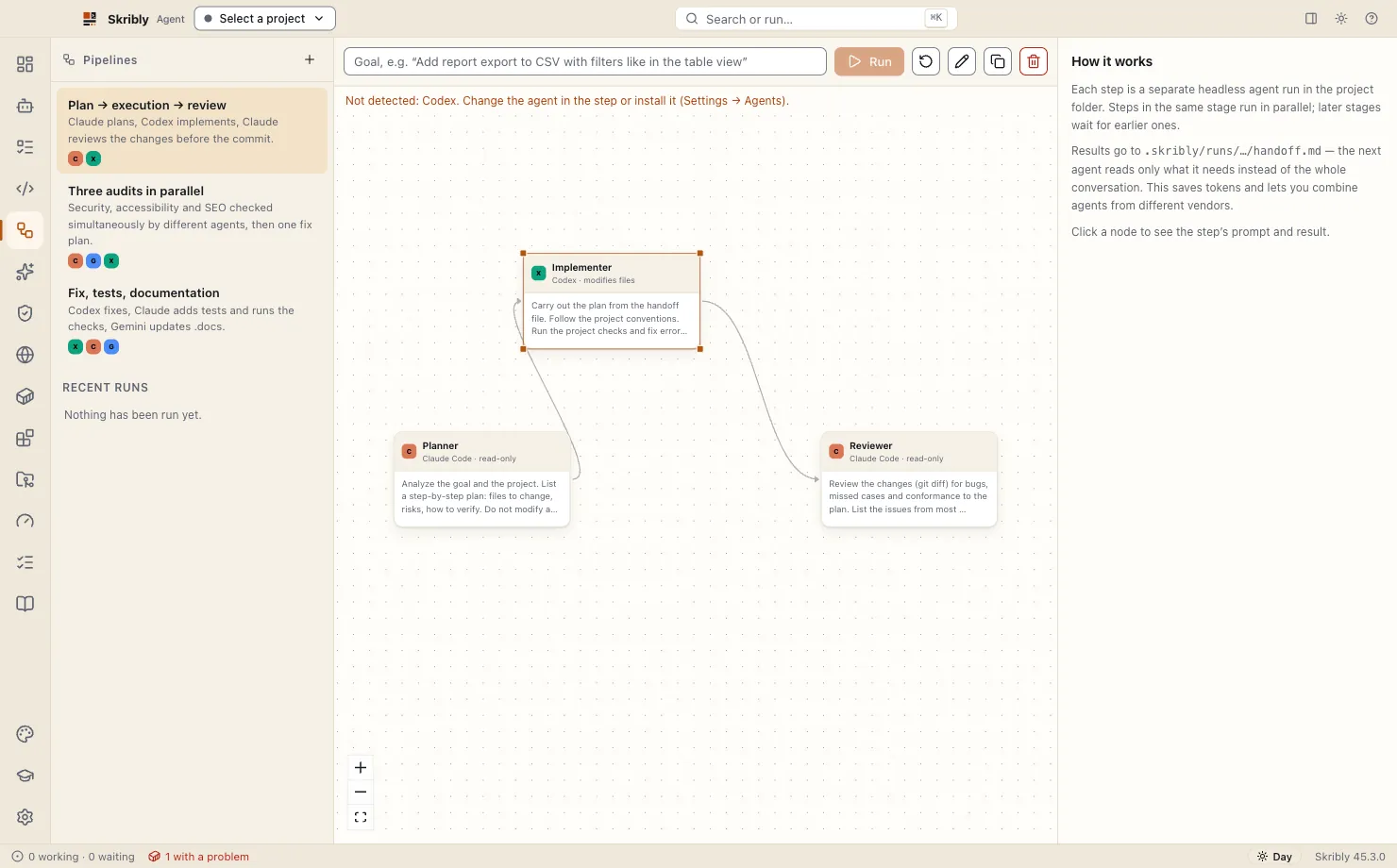
Several agents, from different vendors if you like, work toward one goal in stages.
- Stages run in order and the steps of a stage run in parallel.
- Each step gets its role, the goal and the latest part of handoff.md, not the whole conversation before it.
- A step edits files only when it is marked so; otherwise it runs read-only.
- Built in: plan, execution and review; three audits in parallel; fix, tests and documentation; or your own. Progress shows on a graph.
Plan and tasks
Tasks come from your tracker as files, and the Plan view counts the checkboxes of your plan.
- Jira, Redmine, GitHub Issues, GitLab, Linear and Skribly Tracker in one list, plus local tasks.
- Start with an agent writes TASK.md and STATE.md, makes a branch or a worktree and starts the agent with a ready prompt.
- Status, comments and time logging without leaving the app, where the tracker supports them.
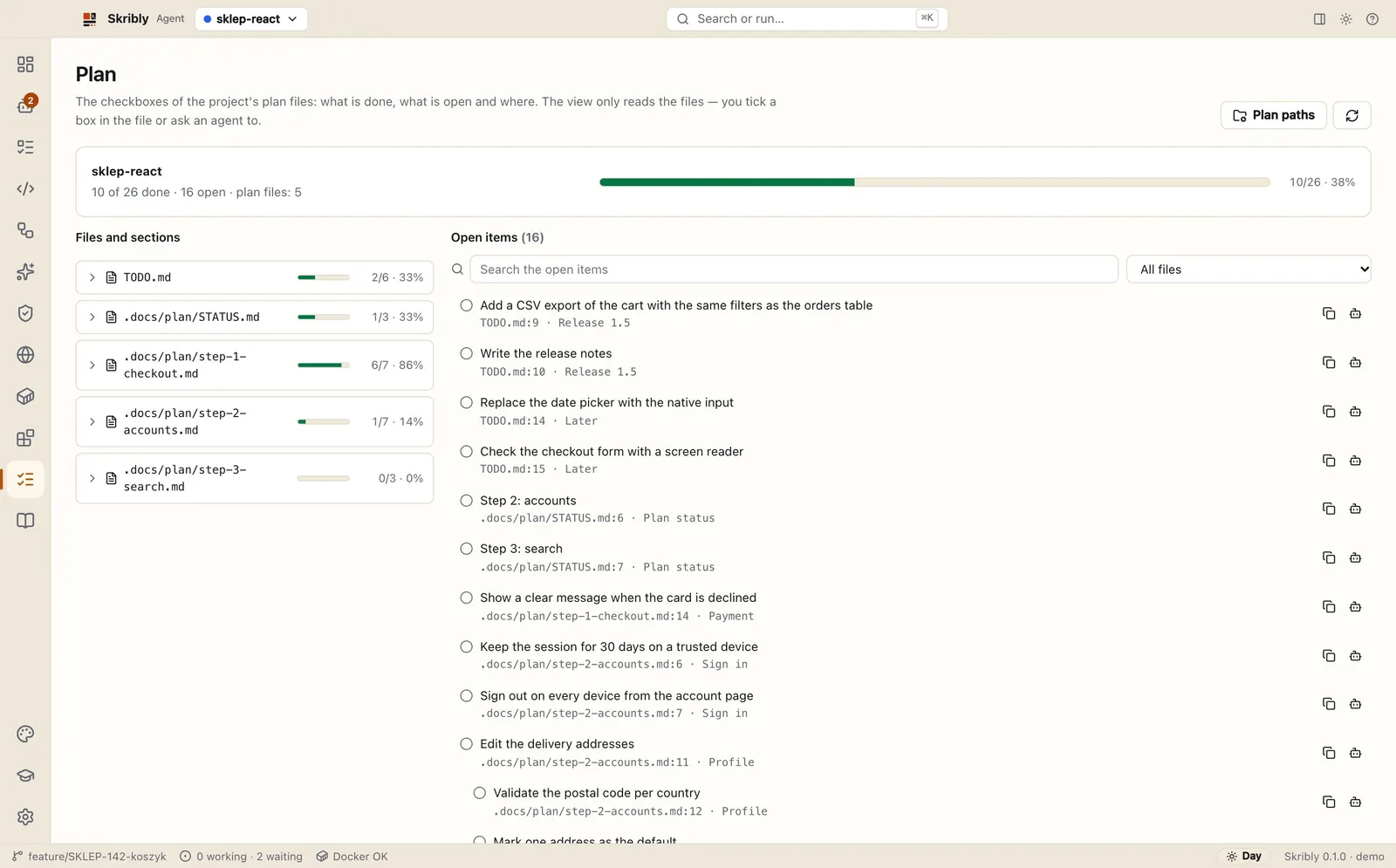
- The Plan view reads the Markdown checkboxes of TODO.md and the plan folders, shows what is done and open, and sends an open item to an agent.
Audits
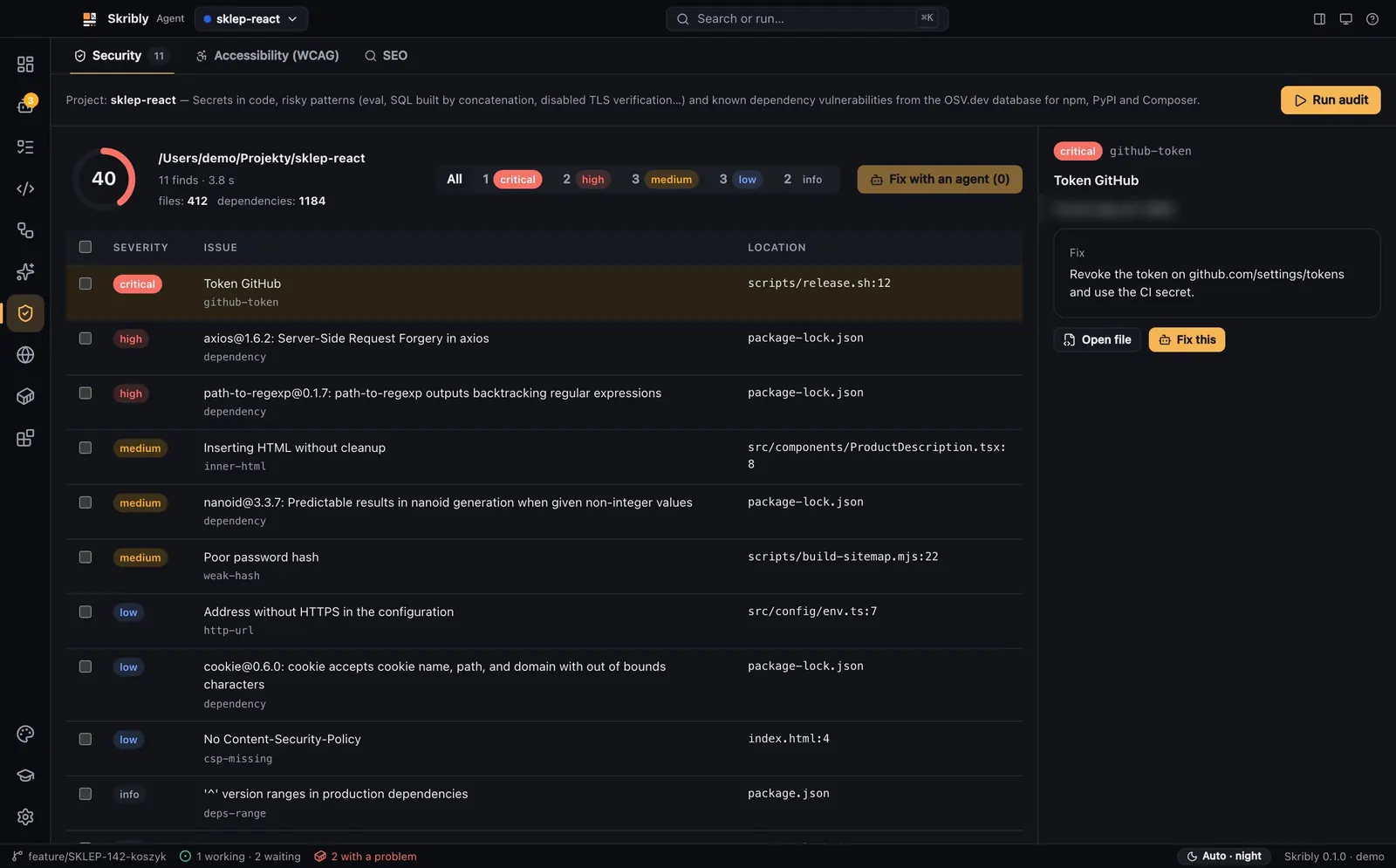
Security, accessibility and SEO checks with a score, and the findings sent to an agent as a task list.
- Secrets, masked in the report, and risky patterns in the files git tracks.
- Vulnerable dependencies from OSV.dev for npm, PyPI and Composer lock files.
- Accessibility with axe-core against the WCAG 2.2 A and AA rules, and technical SEO.
- Each report has a score from 0 to 100; chosen findings go to a new or running agent.
Usage board
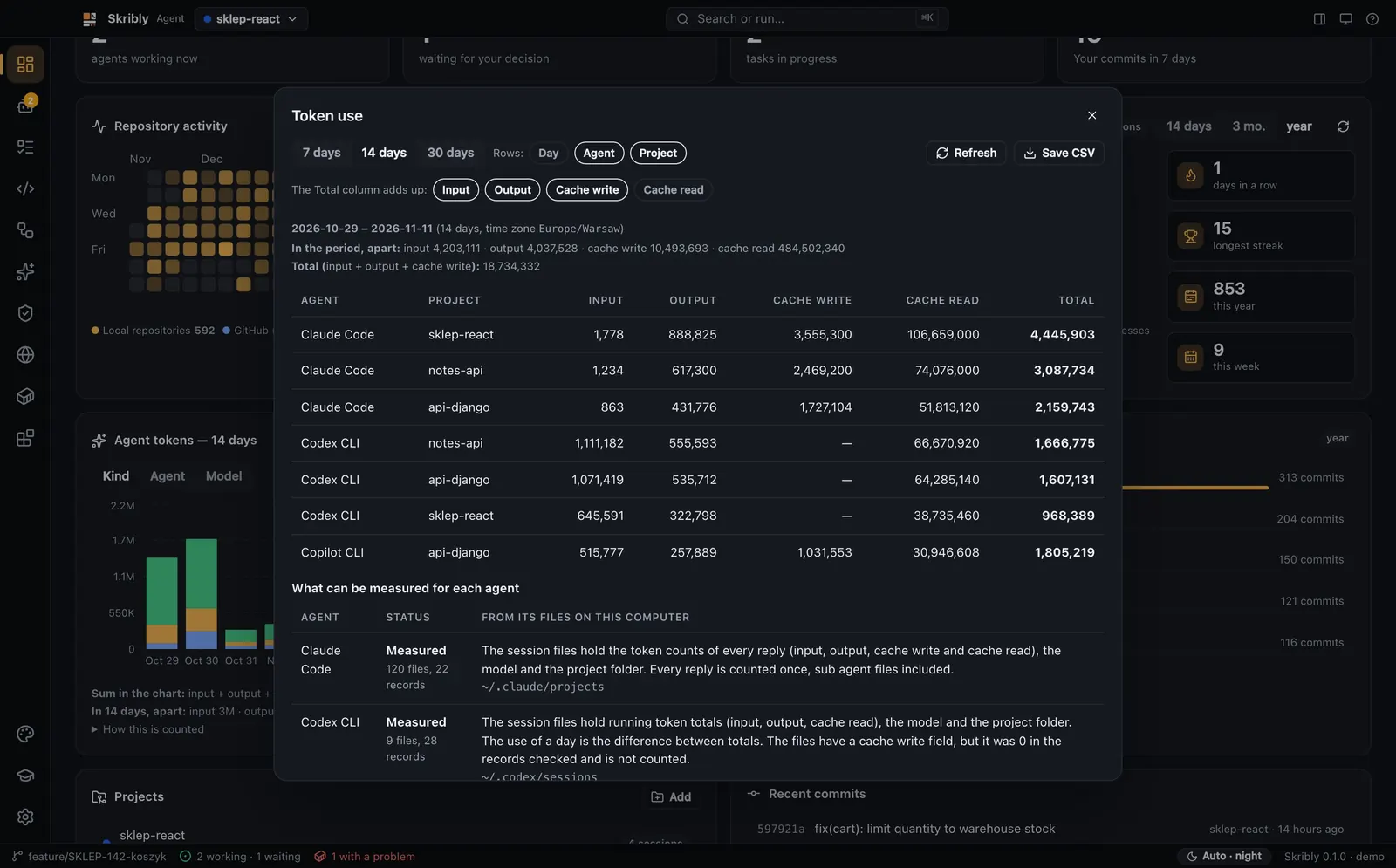
Tokens per day, agent and project, read from the files your agents already leave.
- The four kinds of tokens are kept apart.
- An agent that exposes nothing reads “No data” instead of a guess.
- Counted on your computer; nothing is sent.
Skills and extensions
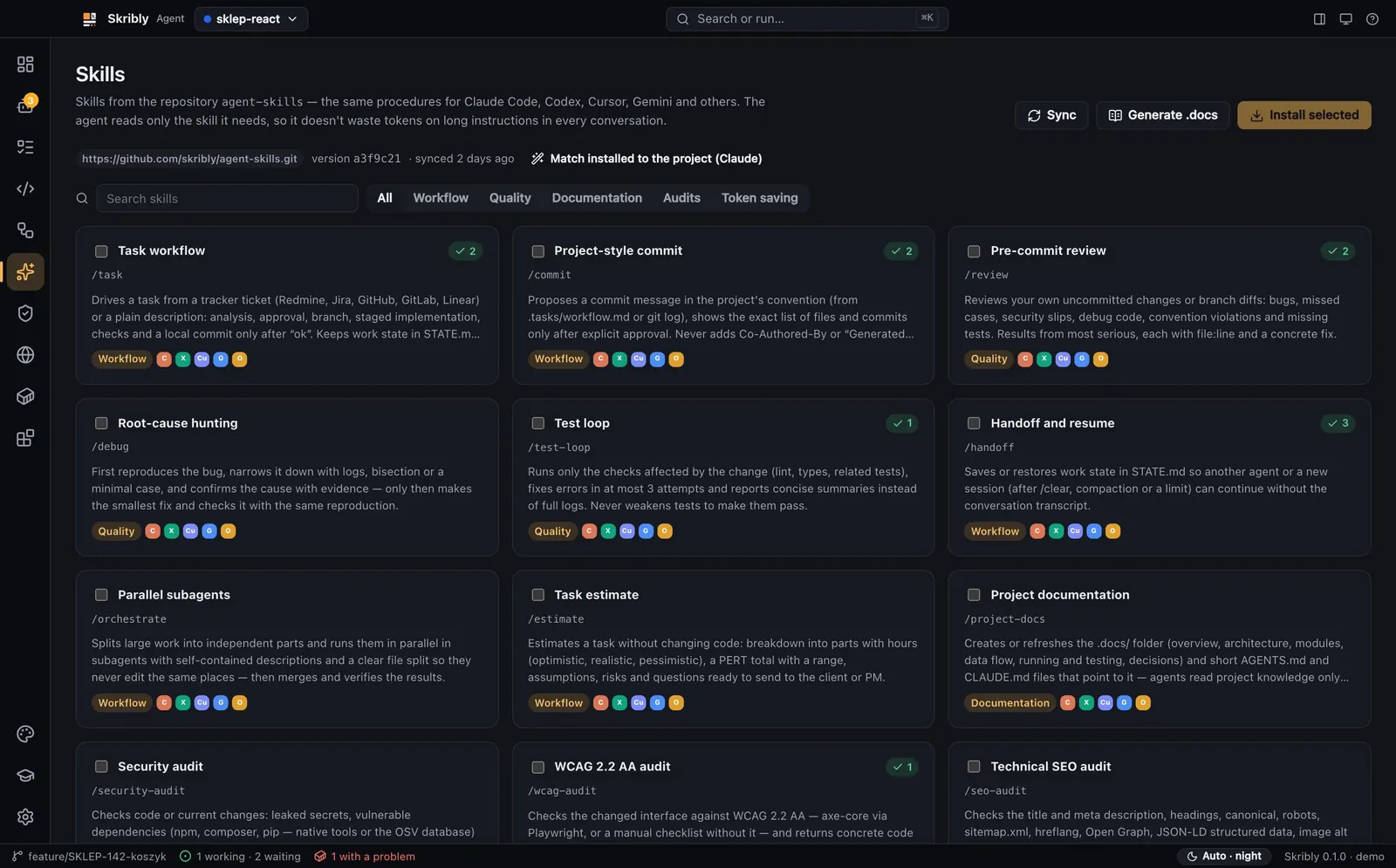
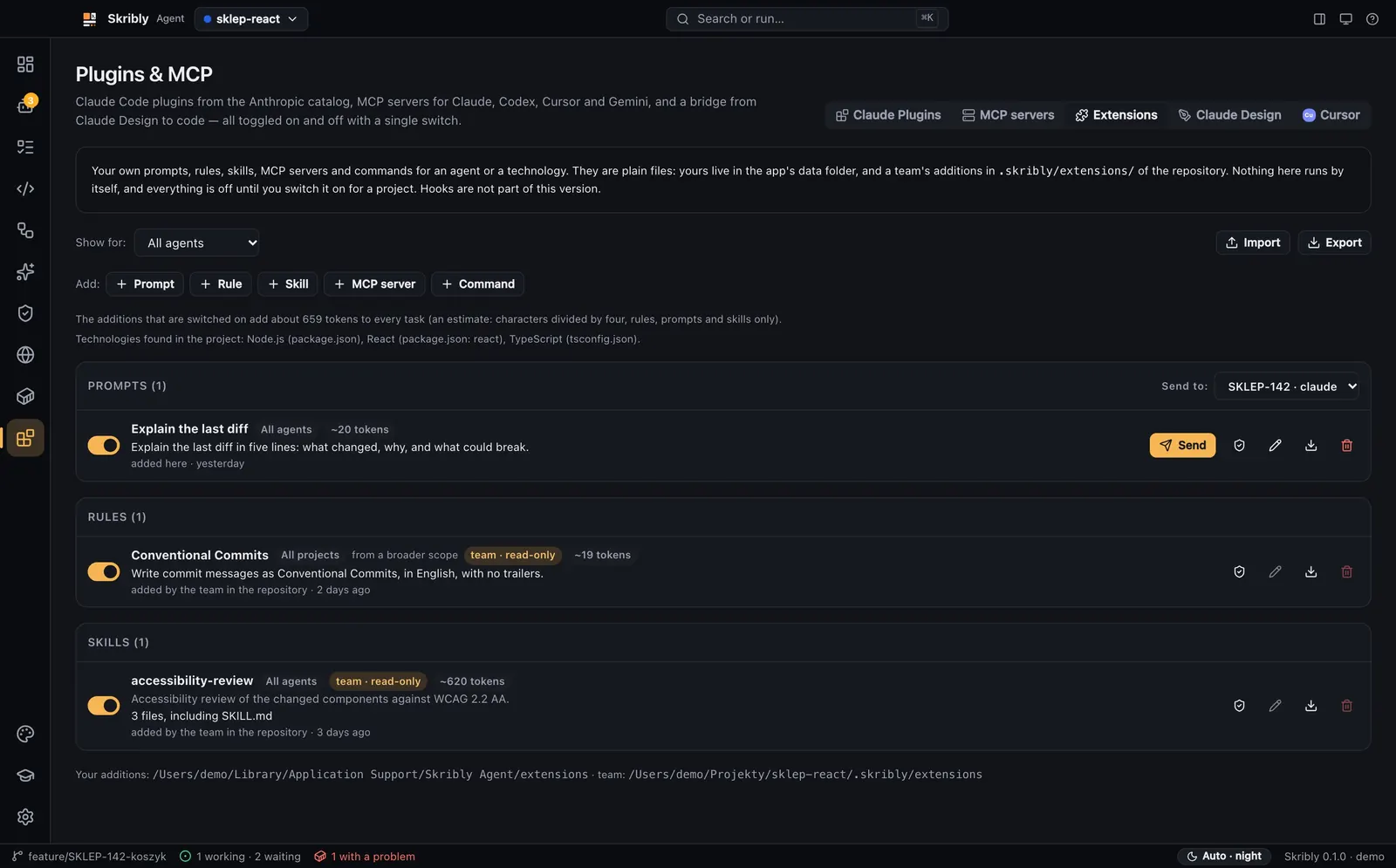
Skills installed in each agent’s own format, and your own prompts, rules and commands as plain files.
- Skills from agent-skills, such as task, commit, review, handoff and the audits, installed with one click for each agent.
- An agent can adapt the installed skills to the project.
- A .docs/ documentation skeleton generated from the repository.
- Extensions: your prompts, rules, skills, MCP servers and commands, per agent or per technology, off until you switch them on for a project and never holding a secret.
MCP and the skribly command
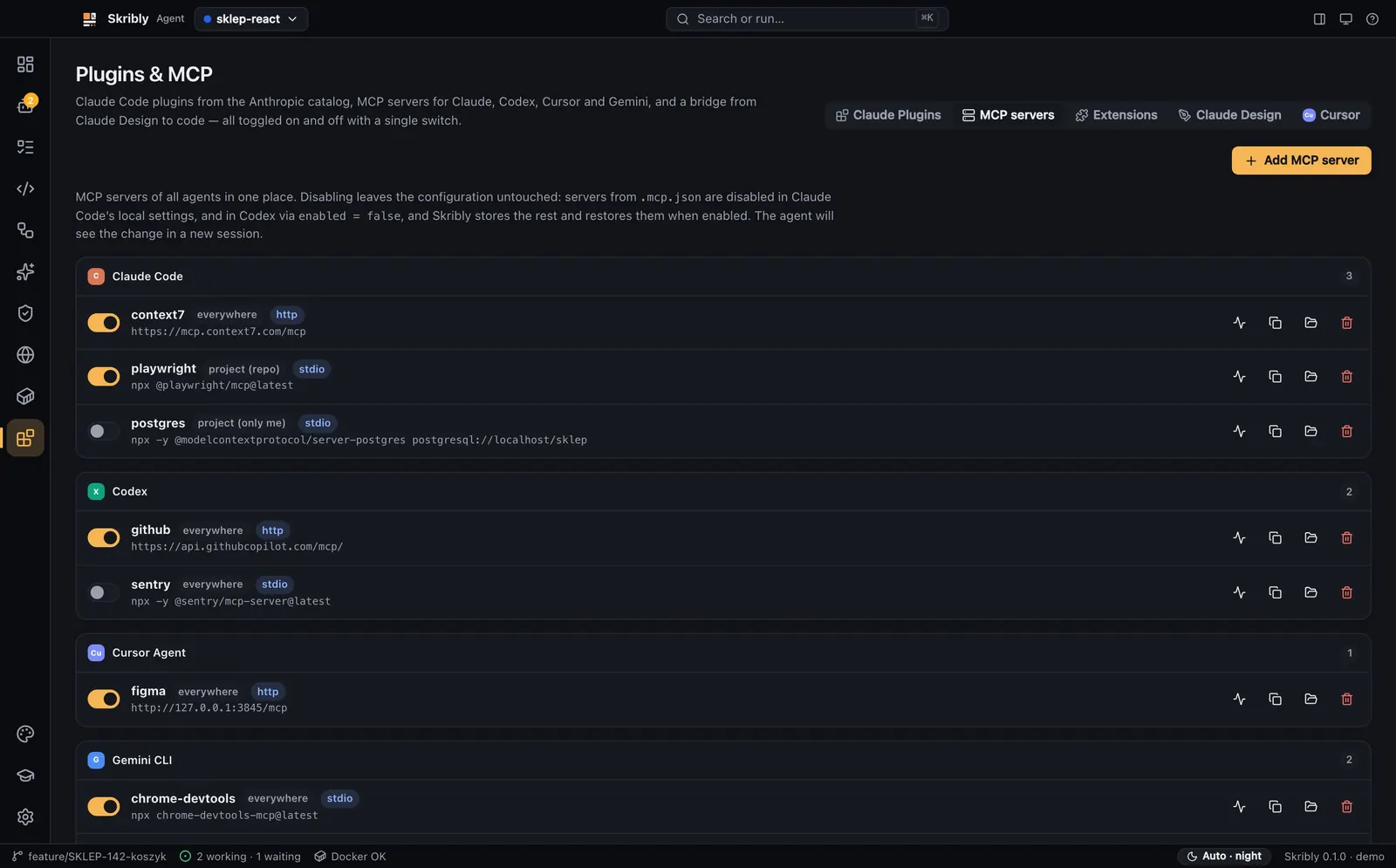
Switch any agent’s MCP servers on and off, test one, and let agents drive other agents.
- The MCP servers of Claude, Codex, Cursor and Gemini switched with one toggle, without destroying their configuration.
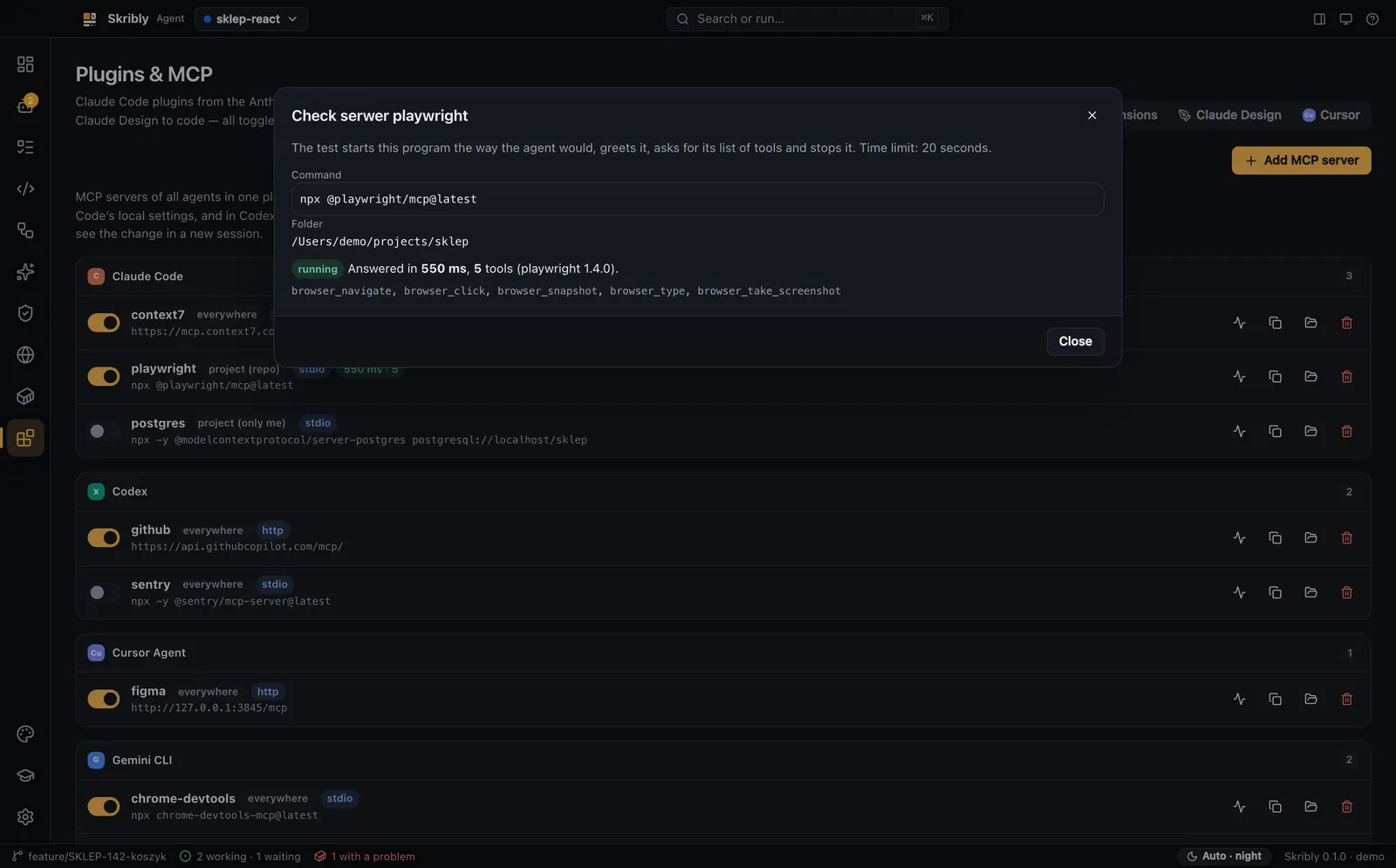
- A health check starts a server, lists its tools and stops it, and an entry can be copied to another agent with a backup.
- skribly mcp gives agents the read-only tools by default; with --allow-writes each change asks you first.
- The skribly command starts, prompts, reads and stops agents through a local API on 127.0.0.1 only.
Privacy and your data
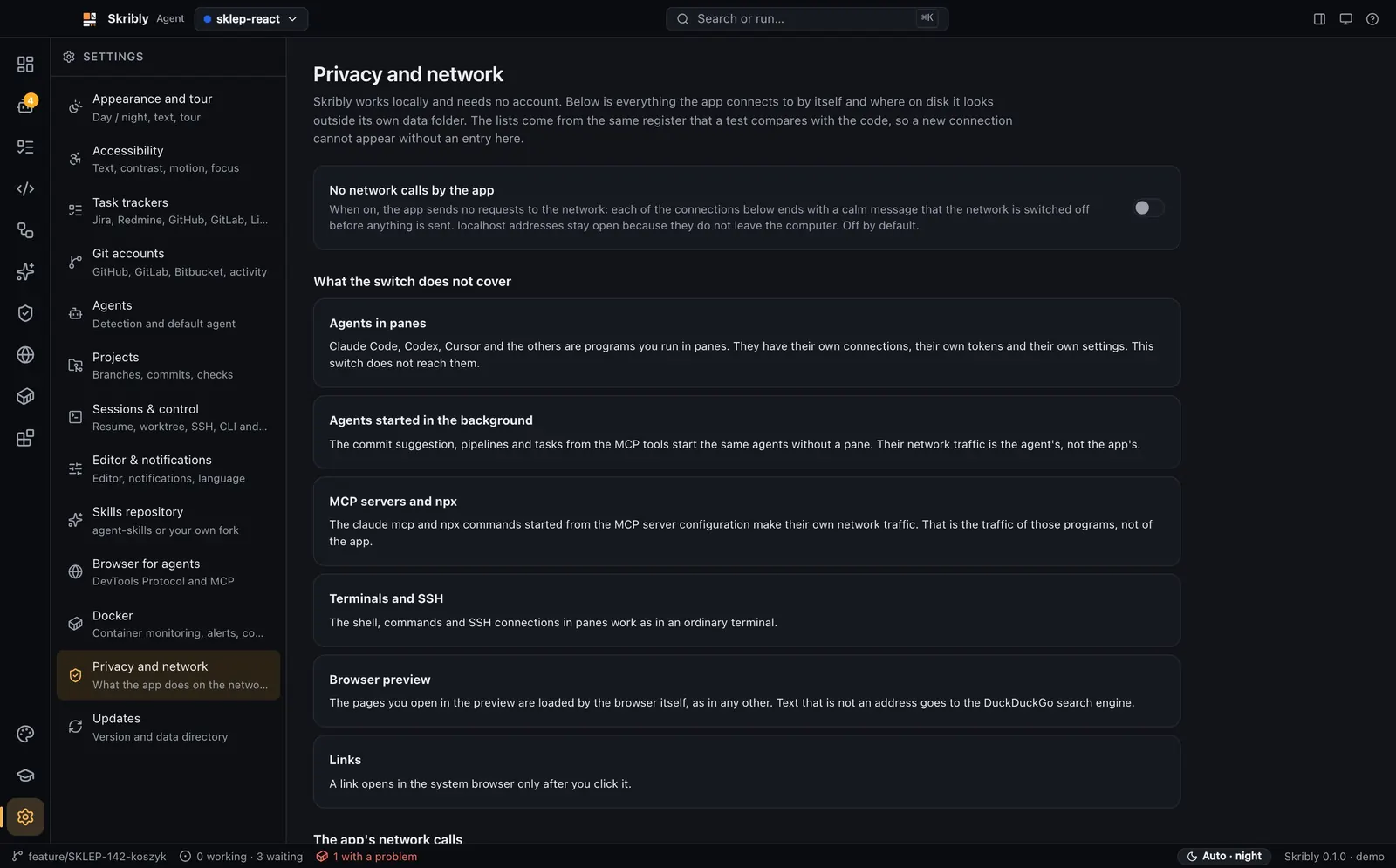
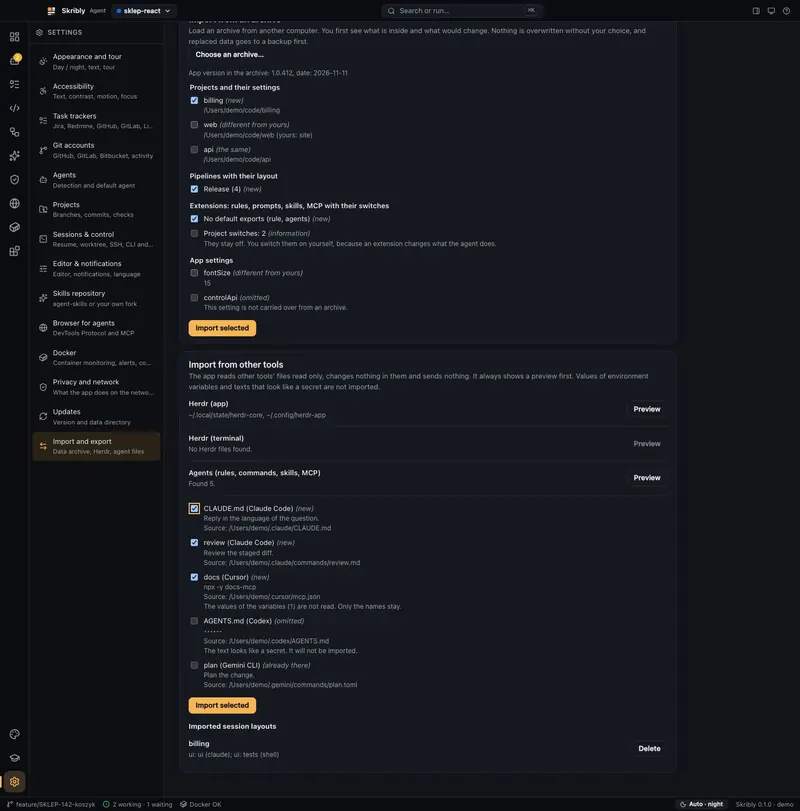
One page lists every connection the app makes and every folder it touches, with a switch that turns its network calls off.
- Settings → Privacy and network lists every connection and every folder outside the app’s own data, checked against the code by a test.
- One switch turns the app’s own network calls off.
- Import and export writes your projects, pipelines, extensions, settings and tasks into one open zip without any secret.
- No account and no telemetry.
Themes and accessibility
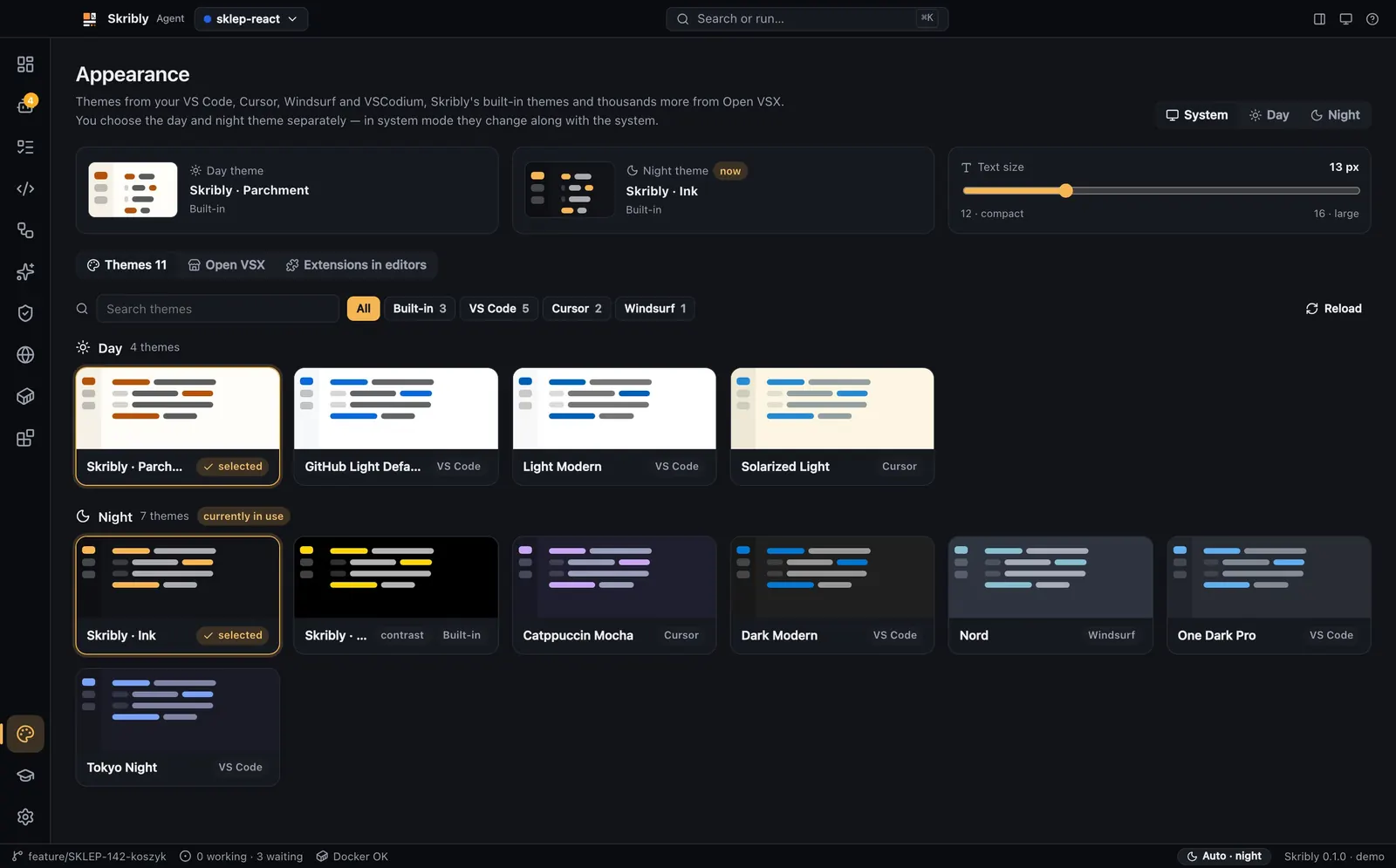
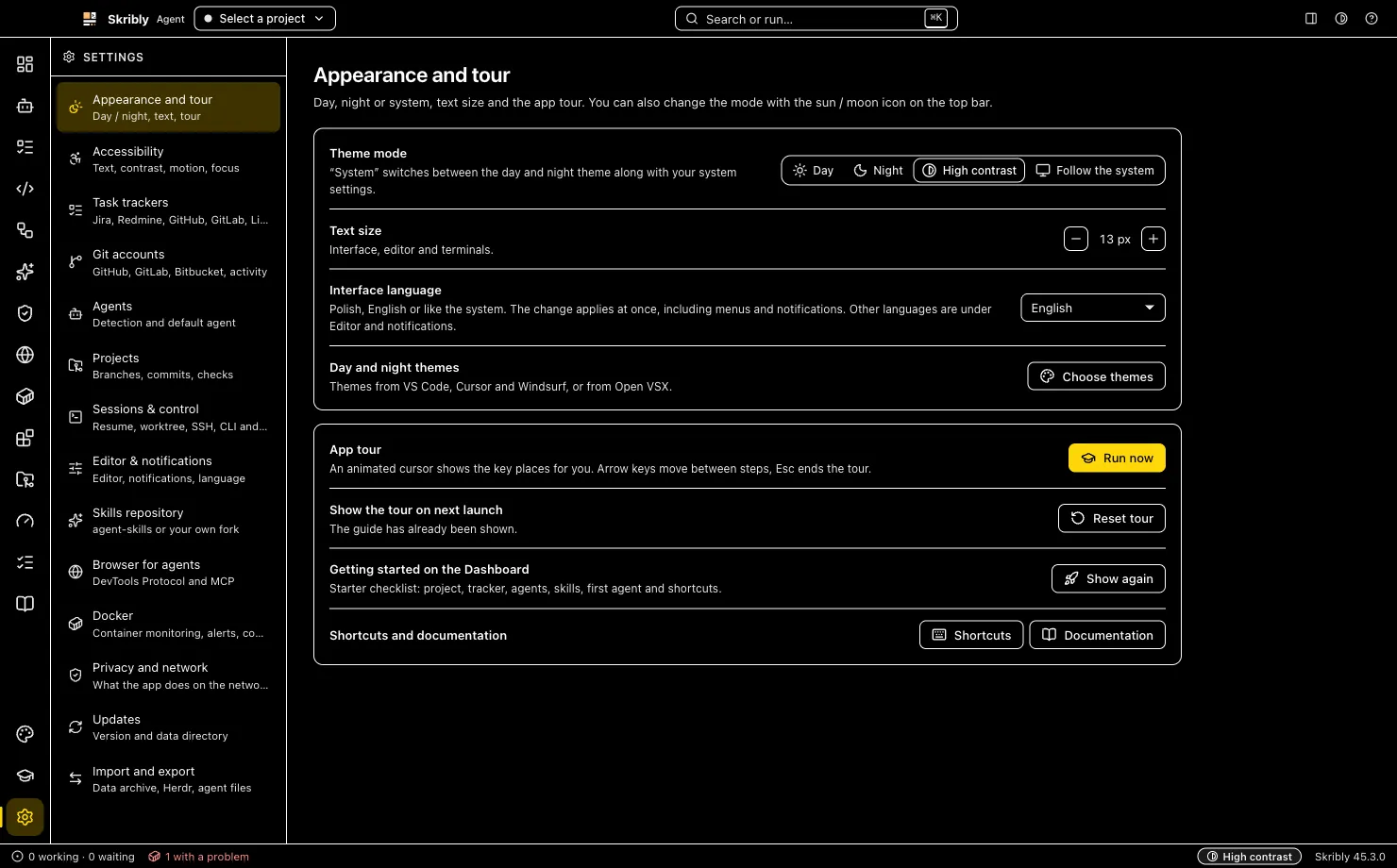
Day and night themes from your editors or Open VSX, and settings for text size, contrast and motion.
- Themes from your VS Code, Cursor, Windsurf and VSCodium extensions or from Open VSX: interface, code and terminal in one.
- Separate day and night themes that follow the system; accents are chosen with enough contrast.
- Settings → Accessibility: interface text size, high contrast, reduced motion, underlined links and a strong focus indicator.
- The interface in English and Polish; themes are read as JSON and no extension code runs.
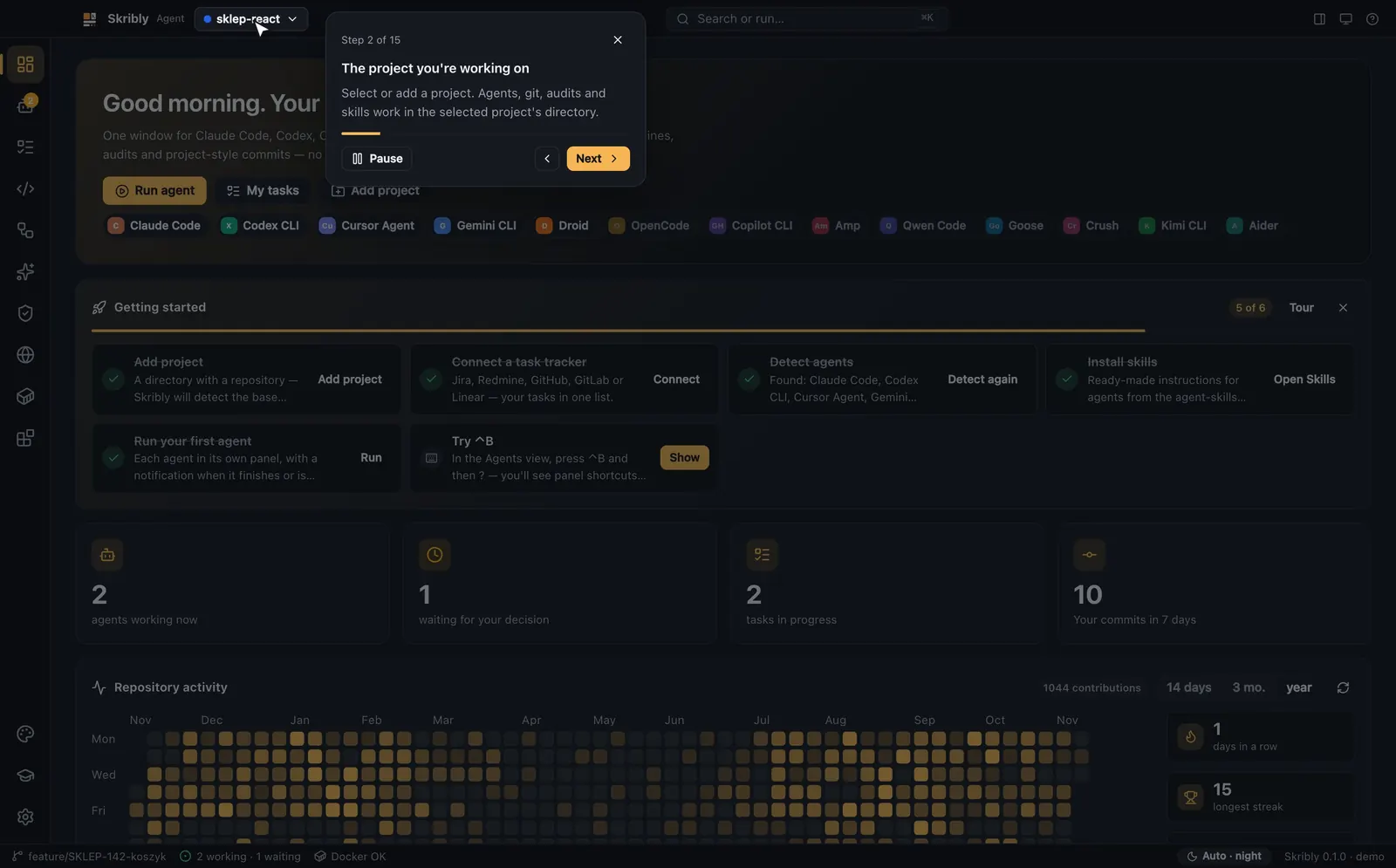
A guided tour
On the first launch the cursor shows you the app, one place at a time.
- An animated tour through 15 places in the app.
- Arrow keys to step, Pause to stop and Esc to close.
- Replay it from Help → Start tour or the command palette.